
K-50 Digital Camera Manual


Table Of Contents
- For Using Your Camera Safely
- Care to be Taken During Handling
- Contents
- Composition of the Operating Manual
- 1 Before Using Your Camera
- 2 Getting Started
- 3 Basic Operations
- 4 Shooting Functions
- 5 Shooting Settings
- 6 Playback Functions and Image Editing
- 7 Changing Additional Settings
- 8 Connecting to a Computer
- 9 Using the Flash
- 10 Appendix
67
Basic Operations
3
1
Press the U/i button in Step 3
on p.65.
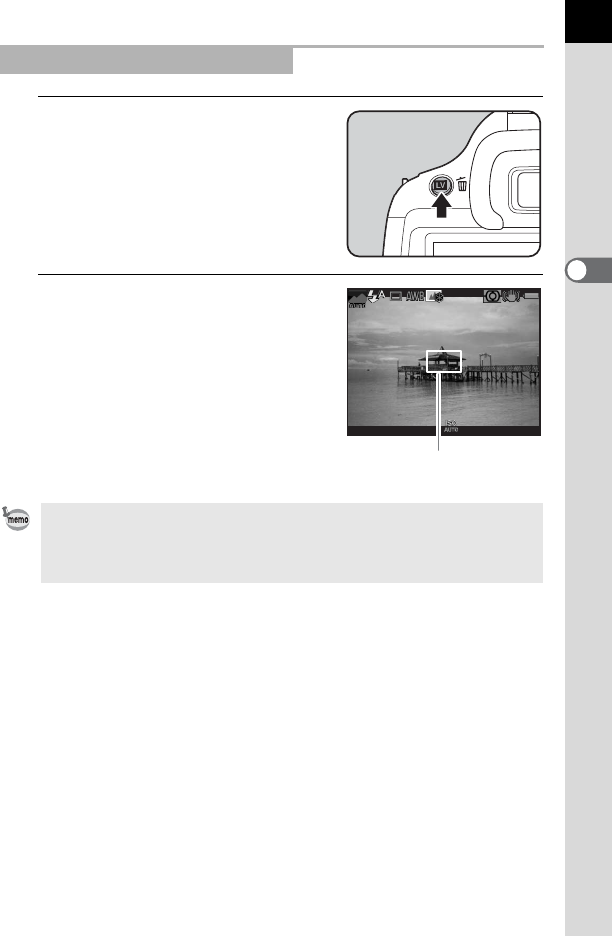
The Live View image is displayed on the
monitor.
2
Position the subject inside the AF
frame on the monitor, and press
the shutter release button halfway.
The autofocus system operates.
The AF frame turns green when focused.
Subsequent steps are the same as
shooting with the viewfinder.
Press the U/i button to end the Live
View shooting.
Taking Pictures Using Live View
• You can magnify the central area in focus by pressing the 4 button while
the focus is locked (except when [Contrast AF] is set to [Tracking]). (p.109)
• In this manual, the explanations and examples are mainly for shooting with
the viewfinder.
1/
2000
1/
2000 F2.8F2.8 16001600
[
37
][
37
]
AF frame