
K-50 Digital Camera Manual


Table Of Contents
- For Using Your Camera Safely
- Care to be Taken During Handling
- Contents
- Composition of the Operating Manual
- 1 Before Using Your Camera
- 2 Getting Started
- 3 Basic Operations
- 4 Shooting Functions
- 5 Shooting Settings
- 6 Playback Functions and Image Editing
- 7 Changing Additional Settings
- 8 Connecting to a Computer
- 9 Using the Flash
- 10 Appendix
45
Getting Started
2
Inserting the Battery
The following power supplies can be used with the camera.
• Rechargeable Lithium-ion Battery D-LI109 (provided)
• AA Battery Holder D-BH109 with four AA batteries (optional)
• AC Adapter Kit K-AC128 (optional)
Use the battery charger D-BC109 and the rechargeable lithium-ion battery
D-LI109 to power the camera.
When using the battery for the first time or when the battery capacity
becomes low, recharge the battery.
Note: AC plug cord “Listed, Type SPT-2 or NISPT-2, 18/2 flexible
cord, rated 125 V, 7A, minimum 6ft (1.8m)”
1
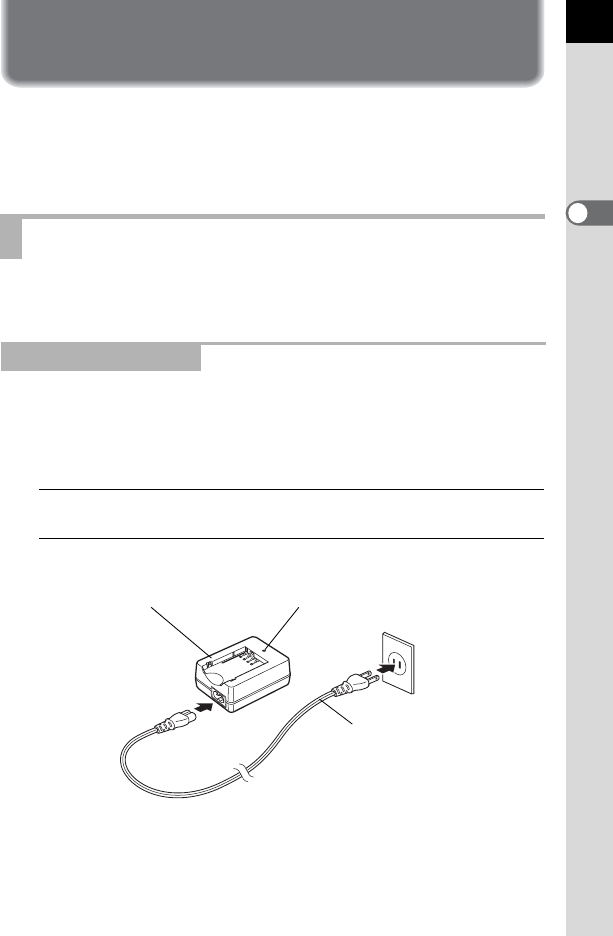
Connect the AC plug cord to the battery charger.
2
Plug the AC plug cord into the power outlet.
Using the Lithium-ion Battery
Charging the Battery
Indicator lamp
AC plug cord
Battery charger