
K-50 Digital Camera Manual


Table Of Contents
- For Using Your Camera Safely
- Care to be Taken During Handling
- Contents
- Composition of the Operating Manual
- 1 Before Using Your Camera
- 2 Getting Started
- 3 Basic Operations
- 4 Shooting Functions
- 5 Shooting Settings
- 6 Playback Functions and Image Editing
- 7 Changing Additional Settings
- 8 Connecting to a Computer
- 9 Using the Flash
- 10 Appendix
200
Playback Functions and Image Editing
6
You can develop multiple RAW images with the same settings.
1
Select [Developing multiple images] in Step 3 on p.198,
and press the 4 button.
Images are displayed in [4 Thumbnail Display], [9 Thumbnail Display],
[16 Thumbnail Display] or [36 Thumbnail Display] (the display style that
was selected last).
2
Select the RAW images to be developed.
Available operations
3
Press the M button.
The development confirmation screen appears.
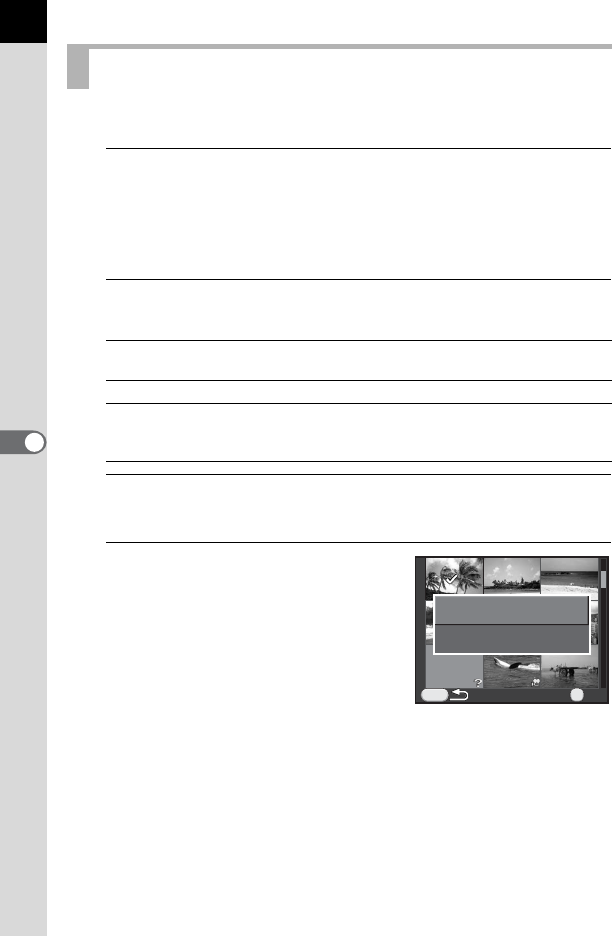
4
Use the four-way controller (23)
to select [Develop images as
shot] or [Develop images with
modified settings], and press the
4 button.
To change parameters, select [Develop
images with modified settings].
Developing Multiple RAW Images
Four-way controller
(2345)
Moves the selection frame.
4 button Confirms/cancels the image selection.
Rear e-dial (S)
Displays the selected image in the single image display.
Turn the front e-dial (R) to display the previous or
next image.
MENU
OKOK
Develop images as shotDevelop images as shot
Develop images withDevelop images with
modified settingsmodified settings
OK