
Operation Manual




Cerberus P 6311-072
7
Package Contents
1. PENTAGRAM Cerberus P 6311-072
2. Power adapter 12 V, 1 A
3. Ethernet cable (RJ-45)
4. Telephone cable (RJ-11)
5. USB cable
6. CD
7. Quick Installation Guide
Product Overview
Important Notes
• Do not use the router in high humidity or high temperatures.
• Do not use the same power source for the router as other equipment.
• Do not repair or open the case by yourself. If the router is too hot, turn off
the power immediately and have it repaired at a qualified service center.
• Avoid using this product and all accessories outdoors.
• Place the router on a stable surface.
• Only use the power adapter that comes with the package. Using a
different voltage rating power adaptor may damage the router.
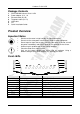
Front LEDs
LED Action Description
PPP Steady light PPPoA / PPPoE connection established
ADSL Off No ADSL signal
Steady light ADSL signal is established
Blinking Light Establishing ADSL signal
LAN (1-4) Off No Ethernet connection
Steady light Connected to an Ethernet port
Blinking light Transmitting/Receiving data
SYS Steady light System is ready
PWR Off No power is supplied to the device
Steady light Connected to an AC power supply