
Specifications

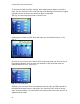


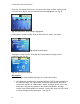

Table Of Contents

Loudspeaker System Specifications
20
To exit the CH1 EQ and Filter settings, after making any changes to the EQ or
Filter, turn the "Push for DSP" knob until the arrow pointing to the left in the upper
right hand corner of the screen turns from black to light blue.
See Fig. 16, where the blue arrow is circled in red.
Fig. 16 Exit CH menu
Pushing in the "Push for DSP" knob will return you to the Main Screen - CH1,
Fig. 4
Fig. 4 Main Screen - CH1
From here, you can use the "Push for DSP" knob and rotate it to arrive at any of
the channels desired, such as CH2, and activate it's EQ and Filter menu as
outlined above for CH1. See Fig. 17.
Fig. 17 CH2 Selections
Similarly, you can reach CH3, the adjustments for the Gain and EQ controls for
the Bluetooth® signal source, and push in the "Push for DSP" knob to access
these channel settings. As noted above, this channel does not have any HPF or
adjustments for same.