
User`s manual


Hardware Monitor Page
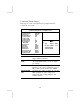
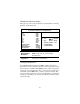
This page sets some of the parameters for the hardware monitoring
function of this mainboard.
AMIBIOS SETUP – HARDWARE MONITOR
(C) 2000 American Megatrends, Inc. All Rights Reserved
*** System Hardware ***
Vcore 1.616V
Vcc 2.5V 2.496V
Vcc 3.3V 3.392V
Vcc 4.945V
+12V 12.032V
SB3V 3.472V
-12V -12.377V
SB5V 5.026V
VBAT 3.472V
SYSTEM Fan Speed 0 RPM
CPU Fan Speed 1308 RPM
SYSTEM Temperature 31°C/87°F
CPU Temperature 39°C/102°F
ESC : Quit ↑↓←→ : Select Item
F1 : Help PU/PD/+/- : Modify
F5 : Old Values (Shift)F2 : Color
F6 : Load BIOS Defaults
F7 : Load Setup Defaults
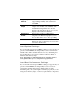
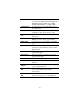
Voltage
Measurements &
FAN Speeds
These items indicate cooling fan speeds in
RPM and the various system voltage
measurements.
System / CPU
Temperature
These items display CPU and system
temperature measurement.
Change Password
If you highlight this item and press Enter, a dialog box appears
which lets you enter a Supervisor password. You can enter no more
than six letters or numbers. Press Enter after you have typed in the
password. A second dialog box asks you to retype the password for
confirmation. Press Enter after you have retyped it correctly. The
password is then required to access the Setup Utility or for that and
at start-up, depending on the setting of the Password Check item in
Advanced Setup.
29