
User`s manual

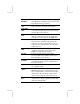


Hard Disk Time
Out
This sets the timeout to power down the hard
disk drive, if the time selected passes without
any hard disk activity.
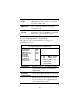
Resume On RTC
Alarm / Date / Hour
/ Minute / Second
The system can be turned off with a software
command. If you enable this item, the system
can automatically resume at a fixed time
based on the system’s RTC (realtime clock).
Use the items below this one to set the date
and time of the wake-up alarm. You must use
an ATX power supply in order to use this
feature.
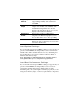
LAN/Ring Power
On
Your system can enter a software power
down. If you enable this item, the system can
automatically resume if there is traffic on the
network adapter.
Keyboard Power
On
If you enable this item, you can turn the
system on and off by pressing hot keys on the
keyboard. You must enable the Keyboard
Power On jumper and use an ATX power
supply in order to use this feature.
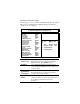
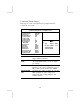
PCI / Plug and Play Setup Page
This page sets some of the parameters for devices installed on the
PCI bus and devices that use the system plug and play capability.
AMIBIOS SETUP – PCI / PLUG AND PLAY SETUP
(C) 2000 American Megatrends, Inc. All Rights Reserved
Plug and Play Aware O/S Yes
Primary Graphics Adapter PCI
Allocate IRQ to PCI VGA Yes
PCI IDE BusMaster Disabled
ESC : Quit ↑↓←→ : Select Item
F1 : Help PU/PD/+/- : Modify
F5 : Old Values (Shift)F2 : Color
F6 : Load BIOS Defaults
F7 : Load Setup Defaults
24