
User`s manual
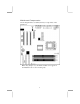
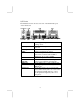
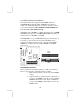

Installing Memory Modules
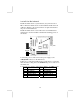
The mainboard has two 168-pin/184-pin DIMM sockets for
SDRAM/DDR (Double Data Rate) SDRAM system memory
modules. You must install at least one memory module in order to
work out the mainboard, either SDRAM or DDR SDRAM, but
you can not use them simultaneously.
SDRAM provides 800 MB/s or 1 GB/s data transfer rate, and DDR
SDRAM doubles the rate to 1.6 GB/s and 2.1 GB/s depending on
whether the bus is 100 MHz or 133 MHz.
DDR SDRAM is a type of SDRAM that supports data transfers on
both edges of each clock cycle (the rising and falling edges),
effectively doubling the memory chip’s data throughput. DDR
DIMMs can synchronously work with 100 MHz or 133 MHz
memory bus.
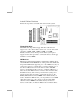
DDR1
DDR2
SDR1
SDR2
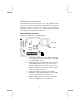
Installation Procedure
These modules can be installed with up to 1 GB system memory.
Refer to the following to install the memory modules.
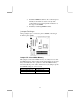
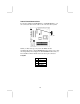
1. Push down the latches on both sides of the DIMM
socket.
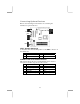
2. Align the memory module with the socket. There is
a notch on the DIMM socket that you can install the
DIMM module in the correct direction. Match the
cutout on the DIMM module with the notch on the
DIMM socket.
10