
User`s guide



35
Chapter 4: Software & Applications
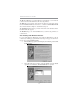
3 The support software will automatically install.
Once any of the installation procedures start, software is automatically installed in
sequence. You need to follow the onscreen instructions, confirm commands and
allow the computer to restart as few times as needed to complete installing what-
ever software you selected. When the process is finished, all the support software
will be installed and start working.
Bundled Software Installation
All bundled software available on the DVD-ROM/CD-ROM is for users’ conve-
nience. You can install bundled software as follows:
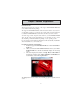
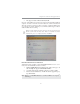
1 Click the Application button while the Auto Setup screen pops out
after inserting the support DVD-ROM/CD-ROM.
2 A software menu appears. Click the software you want to install.
3 Follow onscreen instructions to install the software program step by
step until finished.
Note: Please go to PCCHIPS Website to download AMD Cool’n’Quiet
TM
Technology.
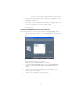
Windows Vista/7 will appear below UAC (User Account Control) message
after the system restart. You must select “Allow” to install the next driver.
Continue this process to complete the drivers installation.