
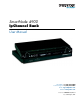
- Patton Electronics Network Hardware User Manual

10
About this guide
This guide describes the SmartNode 4900 Series IpChannel Bank hardware, installation and basic configura-
tion. For detailed software configuration information refer to the SmartWare Software Configuration Guide and
the available Configuration Notes.
Audience
This guide is intended for the following users:
• Operators
• Installers
• Maintenance technicians
Structure
This guide contains the following chapters and appendices:
• Chapter 1, “General information” on page 15 provides information about router features and capabilities
• Chapter 2, “Applications overview” on page 21 contains an overview describing router operation
and applications
• Chapter 3, “Hardware installation” on page 24 provides quick start hardware installation procedures
• Chapter 4, “Getting started with the SmartNode 4900 Series” on page 36 describes getting started with the
SmartNode IpChannel Bank
• Chapter 5, “LEDs status and monitoring” on page 46 contains definitions for the LED status indicators
• Chapter 6, “Contacting Patton for assistance” on page 48 contains information on contacting Patton tech-
nical support for assistance
• Appendix A, “Compliance information” on page 51 contains compliance information for the SmartNode
• Appendix B, “Specifications” on page 55 contains for the specifications for the IpChannel Bank
• Appendix C, “Port pin-outs” on page 61 provides cable pinouts for the various interface ports
• Appendix D, “Factory Configuration” on page 68 lists the factory configuration settings for the SmartNode
4900 Series devices
• Appendix E, “End user license agreement” on page 70 provides detailed information on the EULA
• Appendix F, “Installation checklist” on page 73 lists the tasks for installing the SmartNode 4900 IP
Channel Bank
For best results, read the contents of this guide before you install the IpChannel Bank.