Instructions
Manuals
Brands
Panowin Technologies Manuals
3D Printers
Panowin F1 3D Printer
1
2
3
4
5
6
7
7
!
!
11.
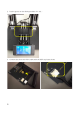
Stick the sticker on the HBP and make sure the surface is flat;
12.
The LED light on the bottom shows the working con
dition of the HBP.
13.
There
maybe
a
little
offset
between
the
nozzle
and
the
platform
after
the
installation.
Please adjust the nozzle height before print.
Powe
r
Tem
pe
ratu
re
1
...
...
5
6
7