
Operating Instructions


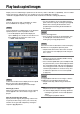


Table Of Contents
- Preface
- Before using this product
- Use an SD memory card
- Operation window
- Basic operation
- Login operation at startup
- Monitor live images
- Record images
- Play recorded images
- Play images from a designated point
- Search and play
- Play back copied images
- Event function
- Copy recorded images
- About the face matching function
- Operate the camera
- Configure the network settings
- Network security of the recorder
- Display the operation window
- About the operation window
- Monitor live images from cameras
- Play recorded images
- Play image recorded at a designated date & time
- Search and play recording events (REC event search)
- Motion detection search and playback (VMD search)
- Check a list of copied recorded images
- Event function
- Copy recorded images
- Download recorded images currently being played
- Play the copied/downloaded recorded images
- Operate the camera
- Setup
- Notification by e-mail
- Troubleshooting
- Glossary

30
31
Change event types and other information displayed on the timeline [Advanced
setup]
[Event type]
Set event types to be displayed on the timeline. To
display event-recorded images on a timeline, mark
their checkboxes.
Refer to the Installation Guide for further information
about alarms.
[VMD sensitivity adjustment]
Set the sensitivity for the motion detection displayed
on the timeline. Sensitivity increases in the steps
shown below.
Low → Mid → High → All
[Back] button/[X] button
Click this button to return to the date & time operation
panel (playback display).
[Playback slider]
Displays the time during playback. Drag and drop the
playback slider to a desired time on the timeline to
start playback from that time.
Note:
• Theplaybackslidermaynotsoonmovetothe
desired position.
[Jump interval]/Jump buttons
Move the playback point by a given amount of time
and play back from that point. Clicking the [<] / [>]
buttons will move the playback point by the amount
of time specified under [Jump interval].
Available ranges: 1min/ 3 min/ 5 min/ 10 min/
15 min/ 30 min
[Playback of audio]
This item is displayed when the recorder is set up to
lock in a camera with audio output. If this checkbox is
marked, the audio associated with the displayed
image will be output. (☞ Installation Guide)