
Facsimile Quick Reference Guide
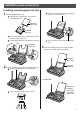

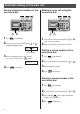

2Press the desired one-touch dial button ( to ).
Example: one-touch dial 1
ワンタッチ
1
トウロク サレテ イマセン
10
Automatic dialing on the main unit
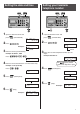
Storing telephone numbers in the
one-touch dial
Making a voice call using the
one-touch dial
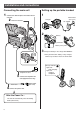
2When the other party answers, lift the handset.
3Enter the telephone number, up to 30 digits.
●
To correct a mistake, press (Clear).
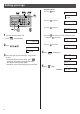
Editing a stored number in the
one-touch dial
1Press the desired one-touch dial button ( to ).
●
The unit will start dialing.
∼
2Press the desired one-touch dial button ( to ).
1Press (Function/Edit).
4Press (Set/Register).
3Edit the telephone number.
Erasing a stored number in the
one-touch dial
2Press the desired one-touch dial button ( to ).
1Press (Function/Edit).
3Press and hold (Erase) until the telephone
number has been erased.
4Press (Set/Register).
∼
4Press (Set/Register).
Button number
ワンタッチ
1
トウロク
09876543
・・・
1Press (Function/Edit).