
Facsimile with Cordless Phone Quick Reference Guide


Caller ID Display Service Functions
Printing a caller list
1
13
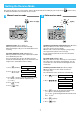
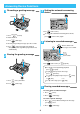
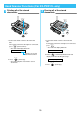
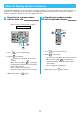
1. Press (received call memory).
2. Press (start/copy).
3. When finished, press (stop).
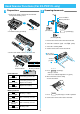
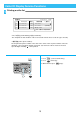
■No., 年月日(year/month/day), 時分(hour/minute)
The unit prints the date and time of the received calls from the most recent call. (up to 30 calls)
■相手局名(caller's phone number)
The unit prints the phone number of the caller. If the caller’s name or phone number cannot be
displayed, a message will be printed out instead. “ ” means the call has not been checked.
Up to 20 digits, including “ ”, can be printed.
時分 年 月 日
No.
着信リスト
1998. 5. 1 12:00
1998. 4. 30 09876543・・
相手局名 (名前)
1998. 4. 29 01234567・・ (カタオカ)
1998. 4. 29
15:30
13:54
8:30
1
2
3
コウシュウ デンワ
マーク:ミカクニンノ チャクシンメモリー
1 23
456
789
0
ストップ
ストップ
着信メモリー
着信メモリー
スタート/コピー
スタート/コピー