Multi-Function Printer Operating Instructions
Manuals
Brands
Panasonic Manuals
Printer
KX-MB772CX
71
72
73
74
75
76
77
78
79
80
12. P
aper Jams
75
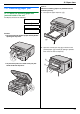
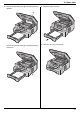
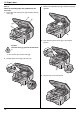
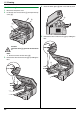
3.
Remov
e the jamme
d paper (
6
) carefully by pulling it
upward
s.
Remov
e the jamme
d paper (
7
) carefully by pulling it
tow
ard you.
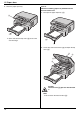
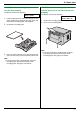
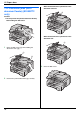
4.
Close the pape
r input tray
.
5.
Close the top cover until locked.
6
7
1
...
...
73
74
75
76
77
...
...
88