
- 2.4GHz Cordless and Answering System KX-FPG176 Operating Instructions

1
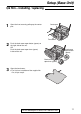
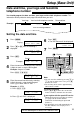
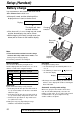
Press p.
Display:
2
Press ( or ) until the following is
displayed.
3
Press w.
4
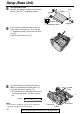
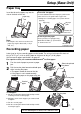
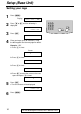
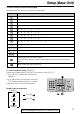
Enter your logo, up to 30 characters, using
the dial keypad. See the next page for details.
Example: “Bill”
1. Press 2 2 times.
Cursor
2. Press 4 6 times.
3. Press 5 6 times.
4. Press ) to move the cursor to the next
space and press 5 6 times.
5
Press w.
●
The next feature will be displayed.
6
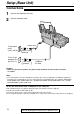
Press p.
YOUR FAX NO.
PRESS SET
LOGO=Bill
LOGO=Bil
LOGO=Bi
LOGO=B
LOGO=
AAAAAAAAA
YOUR LOGO
PRESS SET
SYSTEM SET UP
PRESS NAVI.[IH]
16
Setup (Base Unit)
For fax advantage assistance, call 1-800-435-7329.
Setting your logo