
Cordless Telephone User Manual

12
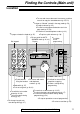
Finding the Controls/Setup (Main unit)
For fax advantage assistance, call 1-800-435-7329.
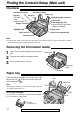
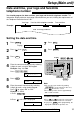
Paper tray!
Insert one tab on the paper tray into one slot on the
back of the unit ( ) and then insert the other tab
into the other slot ( ).
2
1
Paper tray
Slot
Tab
1
1
Slot
2
Tab
Note:
●
Do not place the unit in areas where the paper tray may
be obstructed by a wall, etc.
KX-FA50
Legal paper tray
To use legal size paper
Please purchase a legal paper tray, Model No. KX-FA50
(p. 8) and install as shown above.
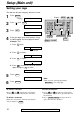
Removing the information leaflet!
1
Open the front cover by pulling up the center
part.
2
Remove and read the information leaflet.
3
Close the front cover securely.
Information
leaflet
Center part
Front cover
Note:
●
The document will be ejected from the front of the unit. Install the unit on a desk or floor with a smooth
surface and do not place anything in front of the unit.
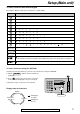
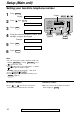
Overview!
Back cover open button
Back cover
Tension bar
Recording paper entrance
Paper tray
Document entrance
Speaker
(Left side
of the
handset cradle)
Document guides
Front cover
Document exit
Recording paper exit
●
Up to 30 sheets of printed
paper can be held.
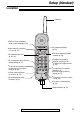
Antenna
Charge contacts
CHARGE light