
High Speed Color Scanner Operating Instructions Model No. KV-S2025C / KV-S2025CU / KV-S2026C / KV-S2026CU KV-S2045C / KV-S2045CU / KV-S2046C / KV-S2046CU KV-S2025C KV-S2025CU KV-S2026C KV-S2026CU KV-S2045C KV-S2045CU KV-S2046C KV-S2046CU

Replacing Consumables
29
6
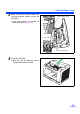
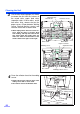
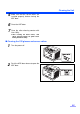
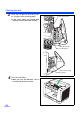
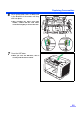
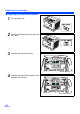
Push up the green levers at both ends
in the direction of the arrows until they
click into place.
≥ After installing the paper feed roller
module, confirm that the feed rollers
can be moved lightly in vertical direction.
7
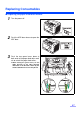
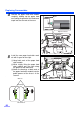
Close the ADF door.
≥ When you close the ADF door, close it
securely until the door is locked.