
High Speed Color Scanner Operating Instructions Model No. KV-S2025C / KV-S2025CU / KV-S2026C / KV-S2026CU KV-S2045C / KV-S2045CU / KV-S2046C / KV-S2046CU KV-S2025C KV-S2025CU KV-S2026C KV-S2026CU KV-S2045C KV-S2045CU KV-S2046C KV-S2046CU

Cleaning the Unit
25
5
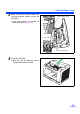
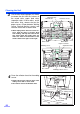
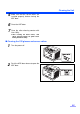
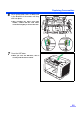
Make sure that the sensor rollers are
installed properly, before closing the
ADF door.
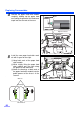
6
Close the ADF door.
7
Clear the roller cleaning counter with
User Utility.
≥ After cleaning the above rollers, click
[Clear Counter] button for [After Clean
Roller] with User Utility.
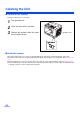
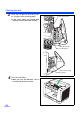
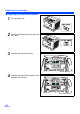
∫ Cleaning the CIS glasses and sensor rollers
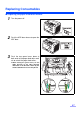
1
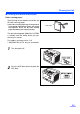
Turn the power off.
2
Push the ADF door release to open the
ADF door.