
High Speed Color Scanner Operating Instructions
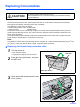
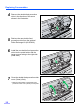
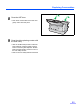
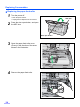
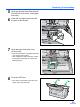

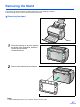
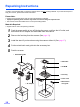
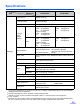
Table Of Contents
- Table of Contents
- Notice
- For Your Safety
- Component Identification
- Setting up the Scanner
- Installing Software
- Starting the Scanner Applications Automatically
- Document Specifications
- Loading Documents
- Clearing Paper Jams
- Mixed Batch Card Guide
- Cleaning the Unit
- Replacing Consumables
- Removing the Stand
- Repacking Instructions
- Specifications
- Troubleshooting
- Index
Replacing Consumables
35
5
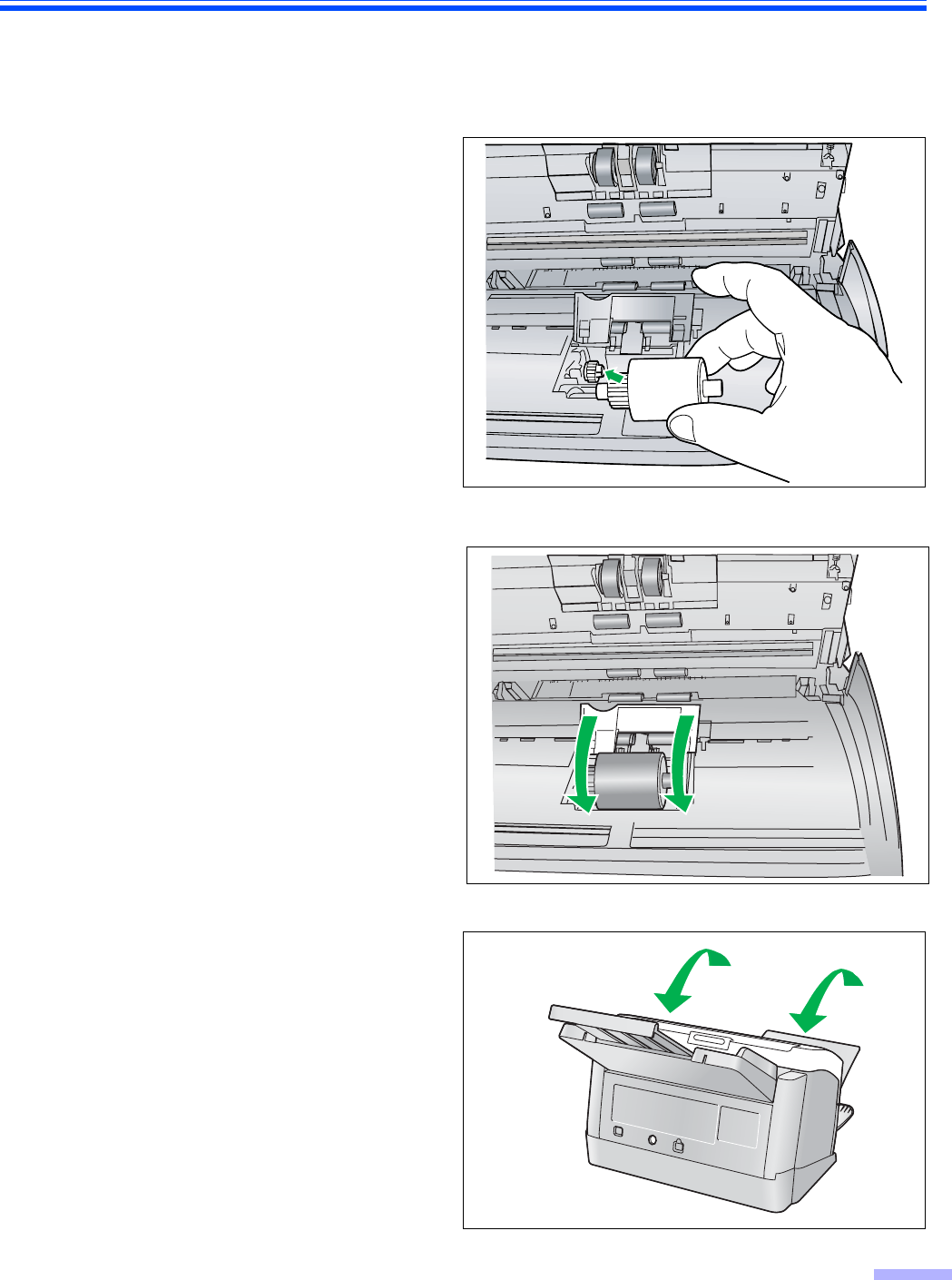
Open the optional Roller Exchange Kit
(KV-SS030), and retrieve a new paper
feed roller.
6
Install the new paper feed roller with
the gear on the left side.
7
Close the paper feed roller cover
(Green) firmly.
• Make sure both sides of the paper feed roller
cover (Green) lock in place.
• After installing the paper feed roller, confirm
that the paper feed roller can rotate in the
feeding direction.
8
Close the ADF door.
• Push down on both sides of the ADF door
gently until it clicks into place.