
High Speed Color Scanner Operating Instructions
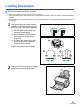
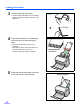
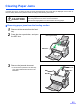
Table Of Contents
- Table of Contents
- Notice
- For Your Safety
- Component Identification
- Setting up the Scanner
- Installing Software
- Starting the Scanner Applications Automatically
- Document Specifications
- Loading Documents
- Clearing Paper Jams
- Mixed Batch Card Guide
- Cleaning the Unit
- Replacing Consumables
- Removing the Stand
- Repacking Instructions
- Specifications
- Troubleshooting
- Index
Loading Documents
22
3
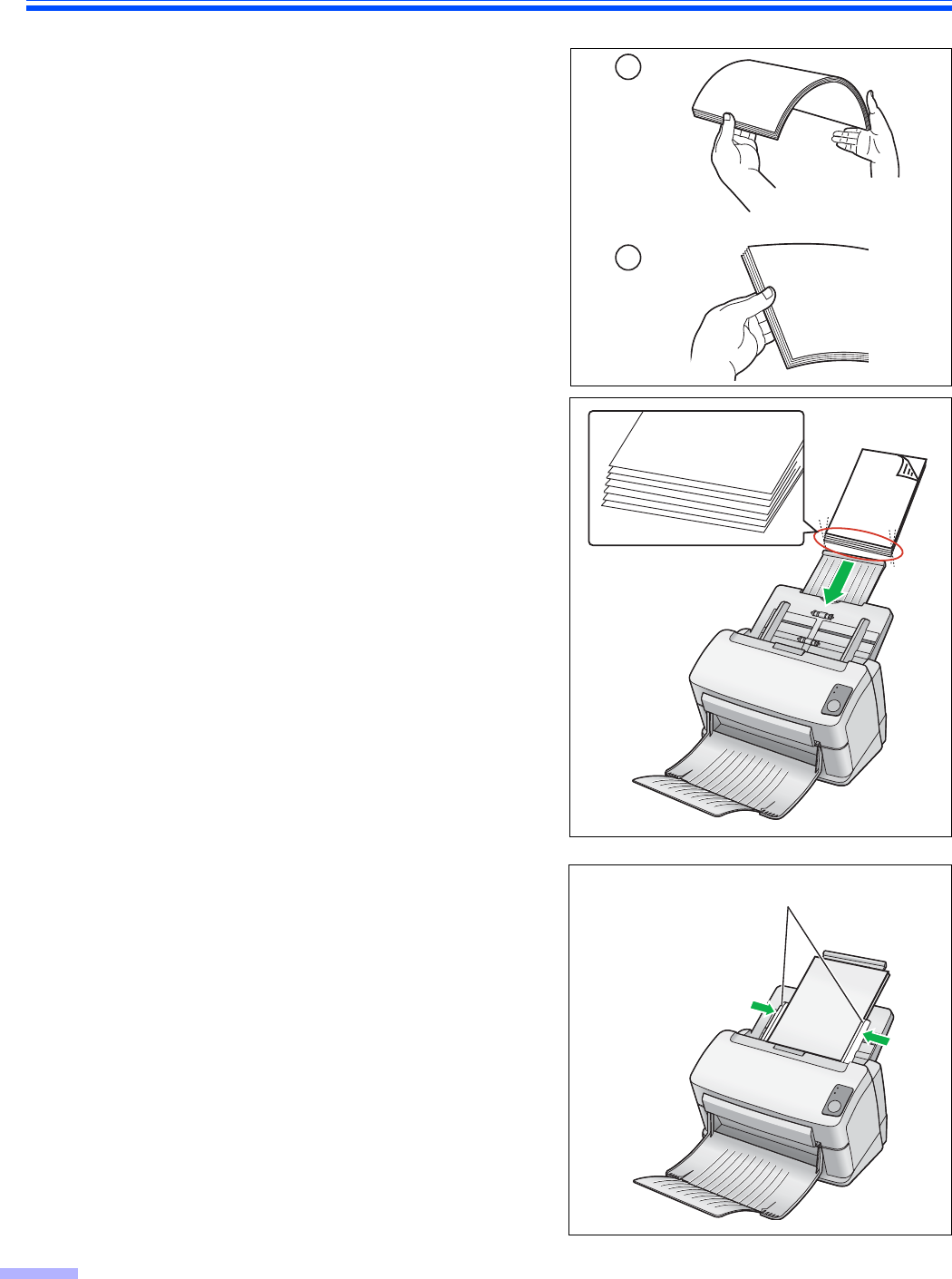
Carefully align the documents.
• The documents feed better when the leading
edges are aligned slantwise as shown in the
illustration.
4
Place the documents on the feed tray
with the side to be scanned facing
down.
• Place the documents as shown in the
illustration.
• The height of all the documents on the tray
should be less than 5 mm (0.2 in.).
This may cause paper jams or skewing.
5
Adjust the document guides to the size
of the documents to be scanned.
1
2
Document guides
Leading edge of
documents