
High Speed Color Scanner Operating Instructions
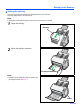

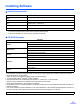
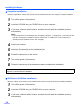
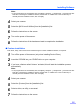
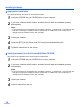
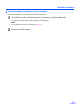
Table Of Contents
- Table of Contents
- Notice
- For Your Safety
- Component Identification
- Setting up the Scanner
- Installing Software
- Starting the Scanner Applications Automatically
- Document Specifications
- Loading Documents
- Clearing Paper Jams
- Mixed Batch Card Guide
- Cleaning the Unit
- Replacing Consumables
- Removing the Stand
- Repacking Instructions
- Specifications
- Troubleshooting
- Index

Installing Software
17
Viewing manuals installed on your computer
All manuals installed on your computer can be viewed as follows.
1
Click [Start], and then click [All Programs] - [Panasonic] - [Scanner Manuals].
• For Windows 2000, click [Program] instead of [All Programs].
Note:
• To install manuals on your computer, see page 15.
2
Select the desired manual.