
High Speed Color Scanner Operating Instructions
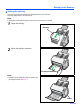

Table Of Contents
- Table of Contents
- Notice
- For Your Safety
- Component Identification
- Setting up the Scanner
- Installing Software
- Starting the Scanner Applications Automatically
- Document Specifications
- Loading Documents
- Clearing Paper Jams
- Mixed Batch Card Guide
- Cleaning the Unit
- Replacing Consumables
- Removing the Stand
- Repacking Instructions
- Specifications
- Troubleshooting
- Index
Setting up the Scanner
11
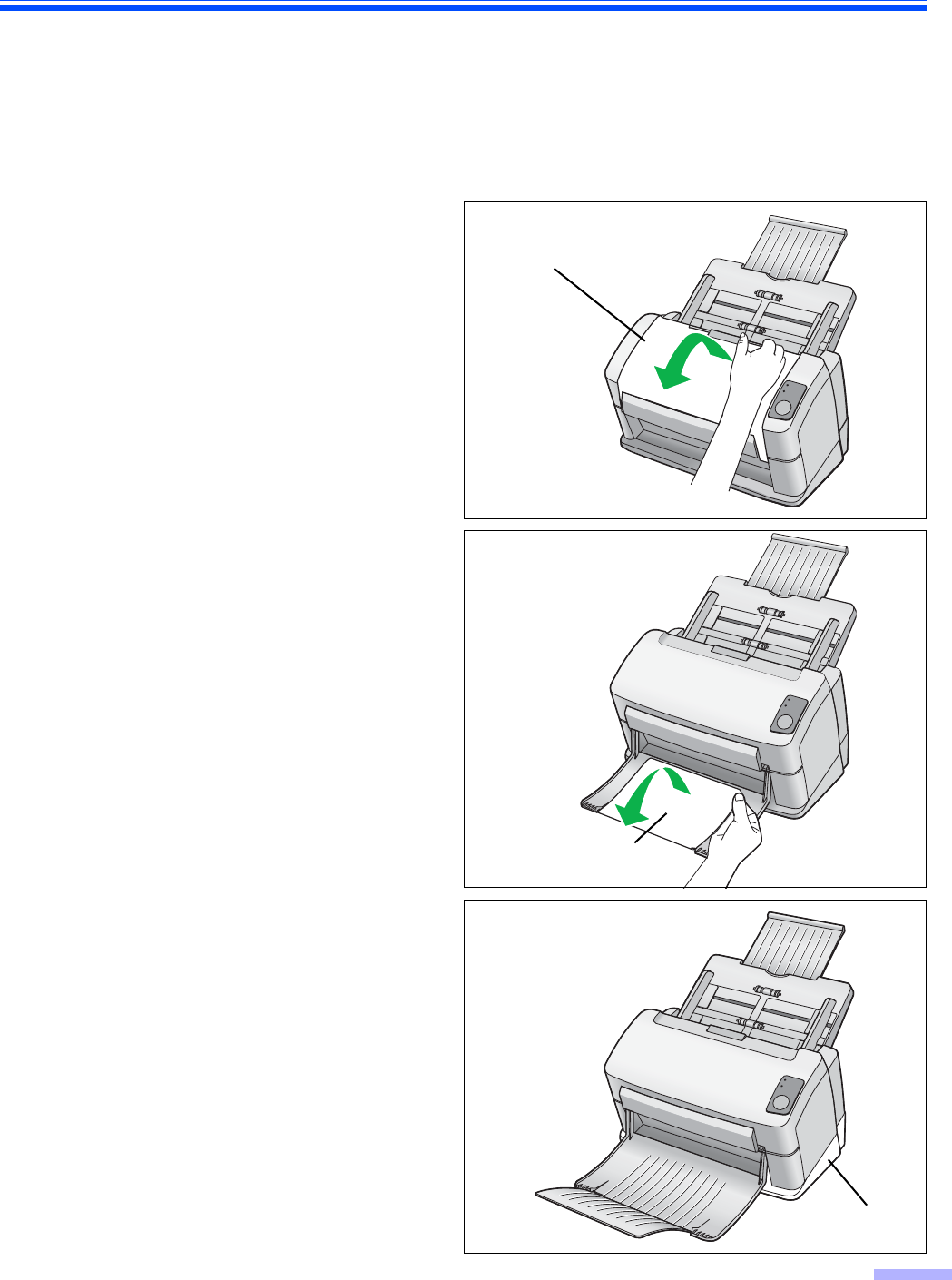
Setting the exit tray
The exit tray prevents documents from dropping after they are scanned.
Follow the steps below to set the exit tray.
Note:
• Documents can be fed through the scanner even if the exit tray is closed.
1
Open the exit tray.
2
Open the exit tray extension.
Note:
• The stand can be easily removed if so desired. For
removing the stand, see page 37.
Exit tray
Exit tray extension
Stand