
Operating Instructions Function Parameters



64
Chapter 4 Fax/Email Settings
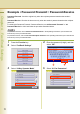
LDAP Server IP (User parameter 16)
This setting is required only when “29 DNS Server Address” in General Settings is set to “No”.
When the setting is “Yes” set “15 LDAP Server Name” (see page 62).
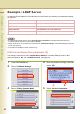
1
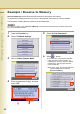
Press the Function key.
2
Select “Fax/Email Settings”.
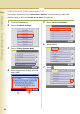
3
Select “04 Key Operator Mode”.
4
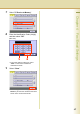
Enter the password (8-digit), and then
select “OK”.
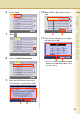
5
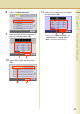
Select “00 User Parameters”.
6
Select “10-19”.
7
Select .