
Operating Instructions Function Parameters


53
Chapter 4 Fax/Email Settings
80 - 119
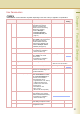
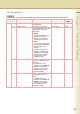
95 Duplex Print Enable or disable the duplex
printing of a received original.
z For details about the duplex
printing of a received original,
refer to Print Reduction in the
Operating Instructions (For
Facsimile and Internet Fax) on
the provided CD-ROM.
Invalid, Valid Invalid
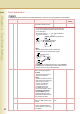
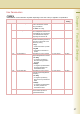
97 Special Tray
Select the tray that will not be used
for printing received faxes.
Ex:
Exclude Tray 1 if colour
paper is loaded on Tray 1.
NO. 1, NO. 2, NO. 3 None
99 Memory Size Display the status of optional
memory card.
(Base Memory + Optional Memory)
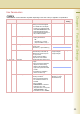
118 Fax Function Detect Enable the machine to switch
automatically to Fax Mode by
detecting fax number input on
the copy screen.
Set the number of digits to
interpret it as a fax number.
Invalid, 4-digits,
5-Digits, 6-Digits,
7-Digits, 8-Digits
6-Digits
120 - 159
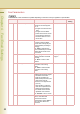
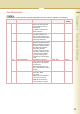
122 Dial Prefix Set the Dial Prefix number (up to
4-digit).
z When the machine detects a
telephone number being
dialled, it will automatically
append the preset Dial Prefix
number.
z This feature is available in
certain countries only.
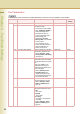
131 Job Tracking Set the Job Tracking under the
following conditions.
z When the optional Internet
Fax or Network Scanner is
installed.
z When “75 User
Authentication” in General
Settings is set to “On”
(Copy,Fax,Scan, or Print) and
“54 Fax Forward” in Fax
Parameters is set to “Invalid”.
None, Tx (Send), Rx
(Receive), Tx & Rx
(Send & Receive)
None
Fax Parameters
z The contents of Fax Parameter may differ depending on the each country’s regulation or specification.
No. Parameter Comments Selective Item
Standard
Setting