
Operating Instructions - Function Parameters

43
Chapter 4 Fax/Email Settings
120-159
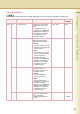
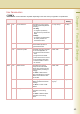
156 Print Forward Doc Set whether to print a memory
received original designated for
forwarding.
• Inc Only
An original is printed only
when its memory transfer has
failed.
•Always
An original is printed whether
its memory transfer has
succeeded or failed.
Inc Only, Always Inc Only
157 Transaction JRNL Set whether to transfer a
communication journal to a
registered destination.
Invalid, Valid Invalid
158 PC Remote Update Set whether to accept commands
from an Email application, to:
(a) Program the Internet Param-
eters
(b) Program the Auto Dialer
(c) Allow retrieval of the Journal
z Consult with the authorized
Panasonic dealer on how to
use this item.
Invalid, Valid Invalid
160-184
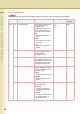
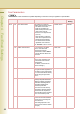
160 Default Domain Set whether the machine
accepts to insert the default
domain when entering the part
of Email address preceding at
mark(@).
Set “Valid” to add a domain
name automatically to an Email
address whose domain name
was omitted.
Invalid, Valid Valid
162 TIFF Viewer URL Set a language for a URL
address included in the Email
message.
Set “None” to insert no URL
address.
None, English,
Eng+Jpn
English
163 Routing Header Set whether to add the header
information of the routing
station.
Set “Valid” to add the header
information of the routing
station.
Invalid, Valid Invalid
Fax Parameters
z The contents of Fax Parameter may differ depending on the each country’s regulation or specification.
No. Parameter Comments Selective Item Standard
Setting