
Operating Instructions - Function Parameters

40
Chapter 4 Fax/Email Settings
120-159
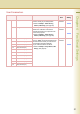
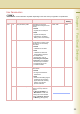
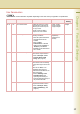
143 Relay XMT Report
Select the printing attributes for a
LAN relayed transmission report.
•Off
Don’t send.
•Always
Always send.
• Inc Only
Send only if communication
has failed.
z Refer to Example : Relay
Station (LAN Relay). (See
page 60)
Off, Always, Inc Only Always
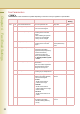
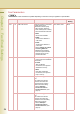
144 Email Character Set Set the language when sending /
receiving Email.
Japanese, English English
145 Sender Selection Set whether to select a pre-
programmed sender’s name and
Email address before each
transmission.
•Invalid
Sender’s information can not
be selected. The Email
address of the machine is
used as sender’s address.
•Valid
Up to 25 user’s names (up to
25 characters) and addresses
(up to 60 digits) can be
selected.
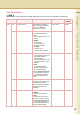
z For details about the From
field, refer to Using Cc, Bcc
and From in the Operating
Instructions (For Facsimile
and Internet Fax) on the
provided CD-ROM.
Invalid, Valid Invalid
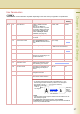
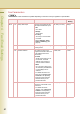
146 POP Timer Set the time interval for the
machine to check Email on the
POP Server.
z For details about POP
reception, refer to Receiving
an Email in the Operating
Instructions (For Facsimile
and Internet Fax) on the
provided CD-ROM.
0 - 60 (min.) 3 (min.)
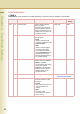
Fax Parameters
z The contents of Fax Parameter may differ depending on the each country’s regulation or specification.
No. Parameter Comments Selective Item Standard
Setting