
Operating Instructions - Function Parameters


11
Chapter 2 General Settings
Key Operator
No. Parameter Comments Selective Item Standard
Setting
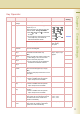
0-19 00 Print General
Settings
Print a list of General Settings. Stop, Start Start
01 Paper Size Set the paper size and media type for
Paper Trays 1-4.
Select the Paper Tray and the paper size,
and then select “Change Size/Media”.
z Only A4 , B5 , 8.5x11 is selectable
for Tray 1.
z For changing the preset paper size used
in the Paper Tray, consult with the
authorized Panasonic dealer.
“Change Size”
A3 , B4 , A4 ,
A4 , B5 , B5 ,
A5 , 11x17 ,
Legal , 8.5x11 ,
8.5x11 ,
5.5x8.5 , 8x13 ,
8.5x13
Select the paper type. “Change Type”
Plain, Glossy,
Recycled
02 A4R/A5 Size
Selection
Set the smallest paper size that will be fed
from the Sheet Bypass.
A4R, A5 A4R
04 Special Paper
Tray 1
Set the paper tray which is not used as the
automatic document feeder tray.
(Ex:)
When you load colour paper in Paper Tray
1, select “Tray 1” not to use the colour
paper for automatic paper feed.
z Up to 4 paper trays can be selected for
exclusion from automatic selection.
None, Tray 1,
Tray 2, Tray 3, Tray 4,
Bypass
None
05 Special Paper
Tray 2
None
06 Special Paper
Tray 3
None
07 Special Paper
Tray 4
None
09 Auto Paper Out
Rotate
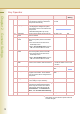
Set whether to rotate the image and print
when the selected paper tray is empty.
(Ex:)
Printing on A4R paper when there is no A4-
size paper
Off, On Off
10 Copy Output Tray Set an output tray for the copier function.
z Outer is available when the optional
Paper Transport Unit is installed.
Inner, Outer Inner
11 Printer Output
Tray
Set an output tray for the printer function.
z Outer is available when the optional
Paper Transport Unit is installed.
Inner, Outer Inner
12 Fax/Email Output
Tray
Set an output tray for the Fax/Email
function.
z Outer is available when the optional
Paper Transport Unit is installed.
Inner, Outer Inner
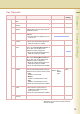
13 Auto Reset Time If you do not select any key within a given
time period, the touch panel goes back to
the initial screen of the current active
function automatically.
None, 30 sec.,
1 min., 2 min.,
3 min., 4 min.
1 min.
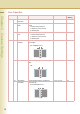
14 Power Save Mode
Timer
If you do not select any key within a given
time period, the machine is switched to
power save mode automatically.
1 to 240 (min.) 15 (min.)