
Printer/Fax/Scanner/Copier Operating Instructions
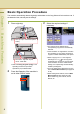
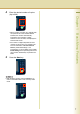
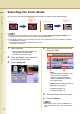
Table Of Contents
- Operating Instructions
- Conventions
- Table of Contents
- Basic Menu Features
- Basic Operation Procedure
- Selecting the Color Mode
- Selecting Original Type and Adjusting the Density
- Registering Quality Preset
- Using Quality Preset
- Quality Adjusting
- Proof Copying
- Confirming/Editing the Selected Copy Features
- Storing a Job in Memory
- Recalling a Preset Job Stored in Memory
- Checking the Waiting to Copy Job
- Completion Notice
- More Menus Features
- 2-Sided Copy Mode
- Basic Operation for the 2-Sided Copy Mode
- Copying 2-Sided Original(s) onto Two Separate Sheets
- Copying Facing Page Original to Two Separate Sheets
- From 1-Sided Originals to 2-Sided Copies Using Saddle Stitch (Booklet)
- Copying Mixed Size Originals from the ADF
- Copying Special Originals (Thin Paper, etc.) from the ADF
- Sort Mode
- Zoom Mode
- Effect Modes
- Insertion Modes
- Overlay Modes
- 2-Sided Copy Mode
- Other Features
- Appendix
6
Chapter 1 Basic Menu Features
Chapter 1
Basic Menu Features
Basic Operation Procedure
The machine automatically detects original(s) and decides on the Copy Size and Color mode to use. If
the detection fails, manually set the settings.
1
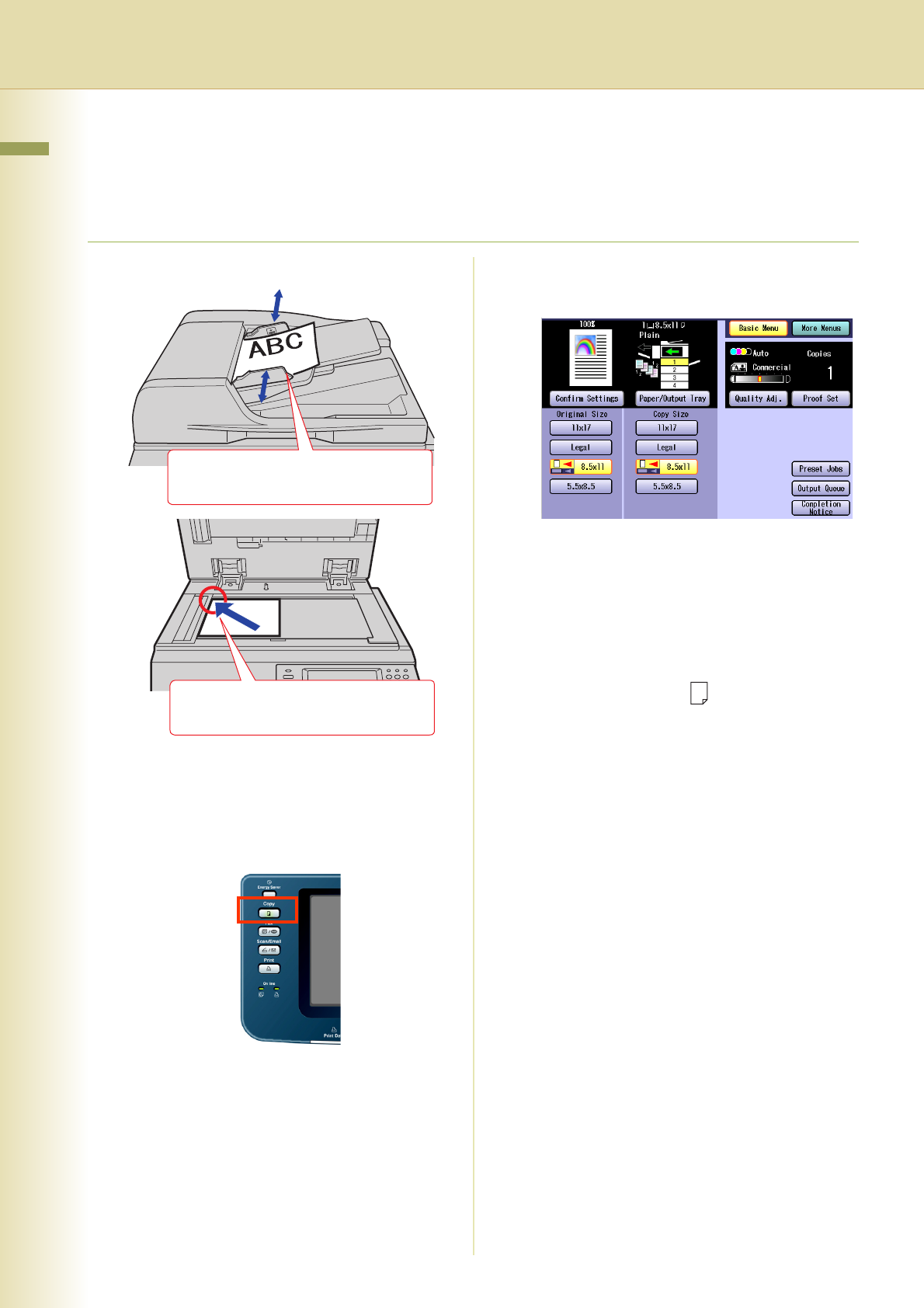
Place original(s).
z Refer to Placing Originals (Copy) in the
Operating Instructions (For Basic
Operations) of provided booklet.
2
Press the Copy key if the machine is
set to other function mode.
3
Select the required settings if
necessary.
z The original size is detected and a
corresponding Copy Size is automatically
selected.
z If the orientation of original does not match
the orientation of copy paper, the image of
original is rotated automatically and copied.
z When copying 8.5" x 11" size originals,
selecting 8.5" x 11" for the Copy Size
accelerates the continuous copying speed.
If the orientation is not the same for both
settings, the copied image is automatically
rotated by 90 degrees.
z For more details of the Basic Menu screen,
refer to Basic Menu Features (see pages 8
to 38).
z When setting other features, refer to More
Menus Features (see pages 40 to 88).
Ex: 2-Sided Copy, Sort / Finish, Zoom/
Effects, etc.
Face up. Up to 100 sheets (20 lb/
Letter)
Face down. Align with top left
corner. Close ADF.