
Printer/Fax/Scanner/Copier Operating Instructions
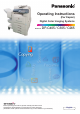
Table Of Contents
- Operating Instructions
- Conventions
- Table of Contents
- Basic Menu Features
- Basic Operation Procedure
- Selecting the Color Mode
- Selecting Original Type and Adjusting the Density
- Registering Quality Preset
- Using Quality Preset
- Quality Adjusting
- Proof Copying
- Confirming/Editing the Selected Copy Features
- Storing a Job in Memory
- Recalling a Preset Job Stored in Memory
- Checking the Waiting to Copy Job
- Completion Notice
- More Menus Features
- 2-Sided Copy Mode
- Basic Operation for the 2-Sided Copy Mode
- Copying 2-Sided Original(s) onto Two Separate Sheets
- Copying Facing Page Original to Two Separate Sheets
- From 1-Sided Originals to 2-Sided Copies Using Saddle Stitch (Booklet)
- Copying Mixed Size Originals from the ADF
- Copying Special Originals (Thin Paper, etc.) from the ADF
- Sort Mode
- Zoom Mode
- Effect Modes
- Insertion Modes
- Overlay Modes
- 2-Sided Copy Mode
- Other Features
- Appendix

4
Table of Contents
Chapter 1 Basic Menu Features
Basic Operation Procedure ................................................................................................. 6
Selecting the Color Mode .................................................................................................... 8
Full Color Mode............................................................................................ “Full Color”9
Black Mode ......................................................................................................... “Black”9
2 Color Mode.....................................................................................................“2 Color”10
1 Color Mode.....................................................................................................“1 Color”12
New Color Registration ............................................................................“Add Custom”14
Selecting Original Type and Adjusting the Density........................................ “Quality Adj.”16
Registering Quality Preset.........................................................................................“Save”18
Using Quality Preset............................................................................................... “Recall”20
Quality Adjusting........................................................................................ “More Settings”22
Background Removal............................................................... “Background Removal”24
BleedThrough Prevention ................................................. “BleedThrough Prevention”25
Tint ..........................................................................................................................“Tint”26
Contrast.......................................................................................................... “Contrast”27
Sharpness ...................................................................................................“Sharpness”28
Saturation.................................................................................................... “Saturation”29
Color Balance........................................................................................“Color Balance”30
Proof Copying.................................................................................................... “Proof Set”32
Confirming/Editing the Selected Copy Features................................... “Confirm Settings”33
Storing a Job in Memory................................................................................“Preset Jobs”34
Recalling a Preset Job Stored in Memory ........................................................................... 35
Checking the Waiting to Copy Job ............................................................ “Output Queue”36
Displaying a List of All Jobs ............................................................................................ 36
Displaying a List of Copy Jobs ........................................................................................ 36
Deleting Copy Jobs ......................................................................................................... 37
Completion Notice ............................................................................. “Completion Notice”38
Chapter 2 More Menus Features
2-Sided Copy Mode................................................................. “2-Sided / Original->Copy”40
Basic Operation for the 2-Sided Copy Mode................................................................... 40
Copying 2-Sided Original(s) onto Two Separate Sheets .....................................“2 -> 1”41
Copying Facing Page Original to Two Separate Sheets................................... “2 Page”42
From 1-Sided Originals to 2-Sided Copies Using Saddle Stitch (Booklet)....... “Booklet”43
Copying Mixed Size Originals from the ADF.......................................“Multi-Size Feed”45
Copying Special Originals (Thin Paper, etc.) from the ADF ........“Job Build and SADF”47
Sort Mode..................................................................................................... “Sort / Finish”50