
Digital Color Imaging Systems Operating Instructions Model No. DP-C354 / C264, Model No. DP-C323 / C263 / C213


163
Chapter 6 Handling Communication Reservation Files
7
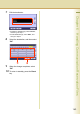
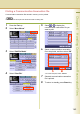
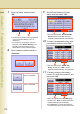
Edit the destination.
z To delete a destination(s), select “Delete”,
and then go to step 9.
z To add destination(s), select “Add”, and
then go to step 8.
8
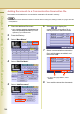
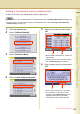
Select the destination, and then select
“OK”.
9
When the change completes, select
“OK”.
10
To return to standby, press the Reset
key.