Operating Instructions Digital Color Imaging System DP-C106
Manuals
Brands
Panasonic Manuals
All in One Printer
DP-C106
81
82
83
84
85
86
87
88
89
90
Problem
Solvin
g
Clearing
Area 1 J
ams
78
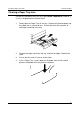
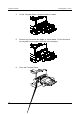
4.
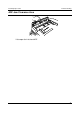
Lift the
Transport Cov
er using the
handle as show
n.
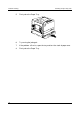
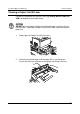
5.
Remove a
ny jammed o
r torn
paper as show
n below. Ensure
that ther
e
are no pi
eces of tor
n paper r
emaini
ng in the tr
ansport.
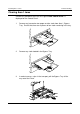
6.
Close the
Transport C
over.
1
...
...
88
89
90
91
92
...
...
166