
Digital Imaging Systems DP-8060 / 8045 / 8035 Operating Instructions

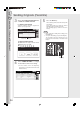
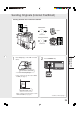
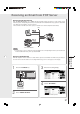

Table Of Contents
- Table of Contents
- Product Overview
- Copying
- Printing
- Network Scanning
- Facsimile / Internet Fax/Email
- Problem Solving
- Troubleshooting
- User (U) / Error Codes
- Removing Misfed Paper
- Locations/User Error Codes (J Codes)
- System Console (Option) (A)
- Paper Entry Area (B)
- Paper Transport Area (C)
- Paper Exit/Fuser Area (D)
- Automatic Duplex Unit (ADU) (E)
- Reverse Area (F)
- 3000-Sheet Tray (LCT) (Option) (G)
- 2-Bin Finisher (Option) (H) (DA-FS600/605)
- 2-Bin Finisher (Option) (H) (DA-FS330)
- 1-Bin Saddle-Stitch Finisher (Option) (H)
- 2-Bin Saddle-Stitch Finisher only (Option) (I)
- 1-Bin Saddle-Stitch Finisher (Option) (I/F)
- i-ADF (J)
- Replacing Consumables
- Appendix
- Specifications
- DP-8060/8045/8035 (Copier)
- i-ADF (Standard)
- Printer Unit
- System Console 1 (DA-DS603)
- System Console 2 (DA-DS604)
- For G3 Facsimile (Option) [DA-FG600]
- For Internet Fax (Email) [Standard]
- 3000-Sheet Tray (LCT) (DA-MA301)
- Letter-R/Legal Size Adaptor for 3000-Sheet Tray (LCT) (DA-TK31)
- 2-Bin Finisher (DA-FS600)
- 2-Bin Saddle-Stitch Finisher (DA-FS605)
- Punch Unit (DA-SP31) [for DA-FS600/605]
- 2-Bin Finisher (DA-FS330) (1/2)
- 2-Bin Finisher (DA-FS330) (2/2)
- 1-Bin Saddle-Stitch Finisher (DA-FS355A)
- Punch Unit (DA-SP41) [for DA-FS355A]
- Option and Supplies
- Multi-Tasking Job Table
- FCC Notice
- Index
- Glossary
- Specifications
37
Facsimile /
Internet Fax/Email
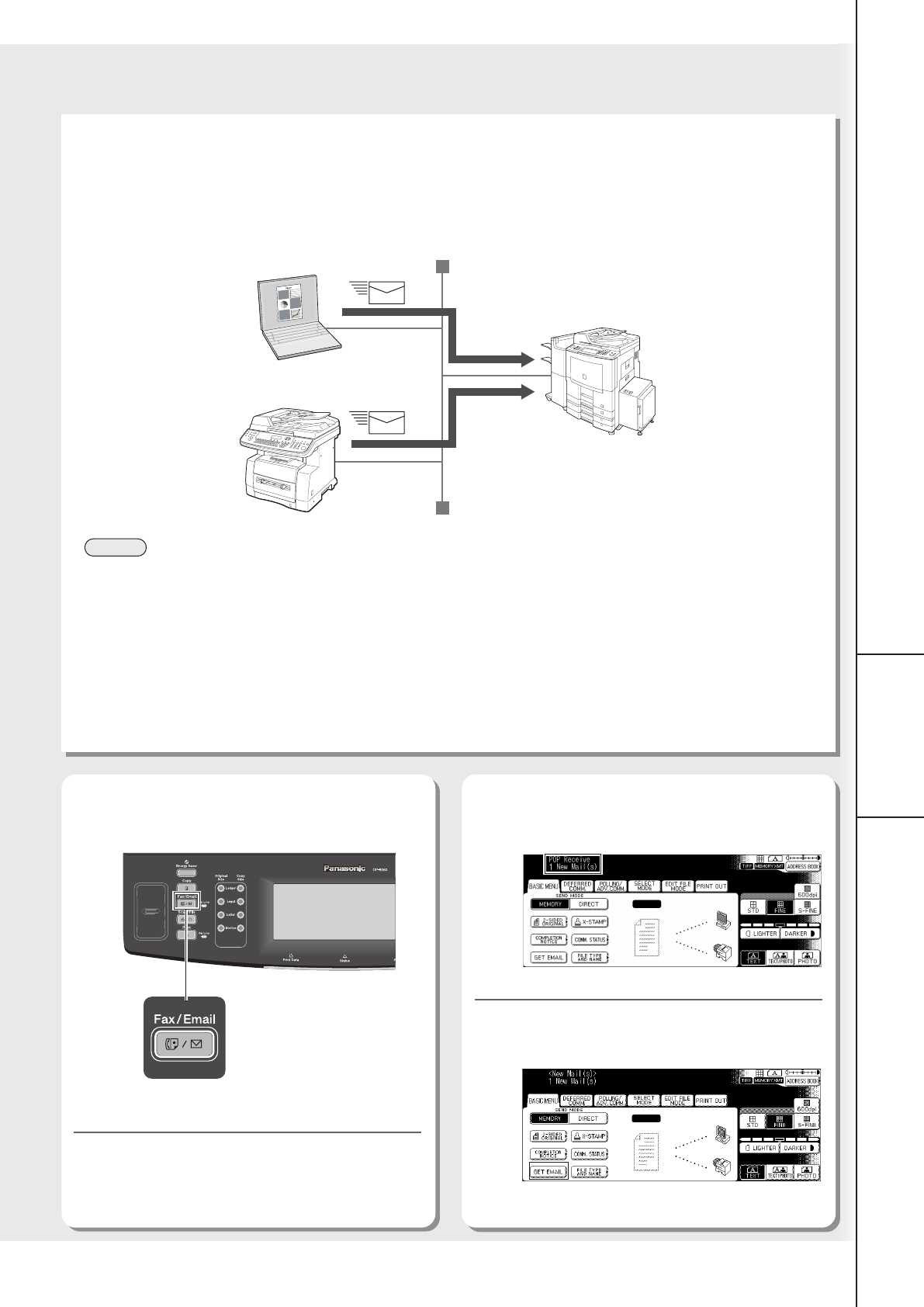
Receiving an Email from POP Server
Receiving Email Automatically
With “147 Auto POP Receive” set to “Valid” and POP acquisition interval set between 1 and 60 minutes in Fax
Parameters (refer to the Operating Instructions (For Facsimile and Internet Fax/Email Functions)), queries are transmitted
to the POP Server periodically to check for new mail.
If there is Email on the POP Server when a query is transmitted, it is retrieved and printed automatically.
1
Press the Fax/Email key.
3
Check for incoming mail(s).
4
Select “GET EMAIL”.
NOTE
● For instructions on how to configure the Internet Fax/Email, refer to the Operating Instructions (For Facsimile and
Internet Fax/Email Functions) on the provided CD-ROM.
Receiving Email Manually
With POP acquisition interval set between 1 and 60 minutes, queries are transmitted to the POP Server periodically to
check for new mail, and the number of the incoming Email messages on the server appears on the display.
2
Select “MODE SETTING”.
Internet FAX Machine
LAN
Computer
The retrieved Email is printed.
If set to other
function mode