
Digital Imaging Systems DP-8060 / 8045 / 8035 Operating Instructions

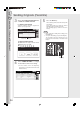
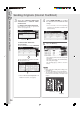
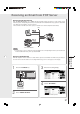

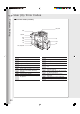
Table Of Contents
- Table of Contents
- Product Overview
- Copying
- Printing
- Network Scanning
- Facsimile / Internet Fax/Email
- Problem Solving
- Troubleshooting
- User (U) / Error Codes
- Removing Misfed Paper
- Locations/User Error Codes (J Codes)
- System Console (Option) (A)
- Paper Entry Area (B)
- Paper Transport Area (C)
- Paper Exit/Fuser Area (D)
- Automatic Duplex Unit (ADU) (E)
- Reverse Area (F)
- 3000-Sheet Tray (LCT) (Option) (G)
- 2-Bin Finisher (Option) (H) (DA-FS600/605)
- 2-Bin Finisher (Option) (H) (DA-FS330)
- 1-Bin Saddle-Stitch Finisher (Option) (H)
- 2-Bin Saddle-Stitch Finisher only (Option) (I)
- 1-Bin Saddle-Stitch Finisher (Option) (I/F)
- i-ADF (J)
- Replacing Consumables
- Appendix
- Specifications
- DP-8060/8045/8035 (Copier)
- i-ADF (Standard)
- Printer Unit
- System Console 1 (DA-DS603)
- System Console 2 (DA-DS604)
- For G3 Facsimile (Option) [DA-FG600]
- For Internet Fax (Email) [Standard]
- 3000-Sheet Tray (LCT) (DA-MA301)
- Letter-R/Legal Size Adaptor for 3000-Sheet Tray (LCT) (DA-TK31)
- 2-Bin Finisher (DA-FS600)
- 2-Bin Saddle-Stitch Finisher (DA-FS605)
- Punch Unit (DA-SP31) [for DA-FS600/605]
- 2-Bin Finisher (DA-FS330) (1/2)
- 2-Bin Finisher (DA-FS330) (2/2)
- 1-Bin Saddle-Stitch Finisher (DA-FS355A)
- Punch Unit (DA-SP41) [for DA-FS355A]
- Option and Supplies
- Multi-Tasking Job Table
- FCC Notice
- Index
- Glossary
- Specifications
Facsimile / Internet Fax/Email
34
35
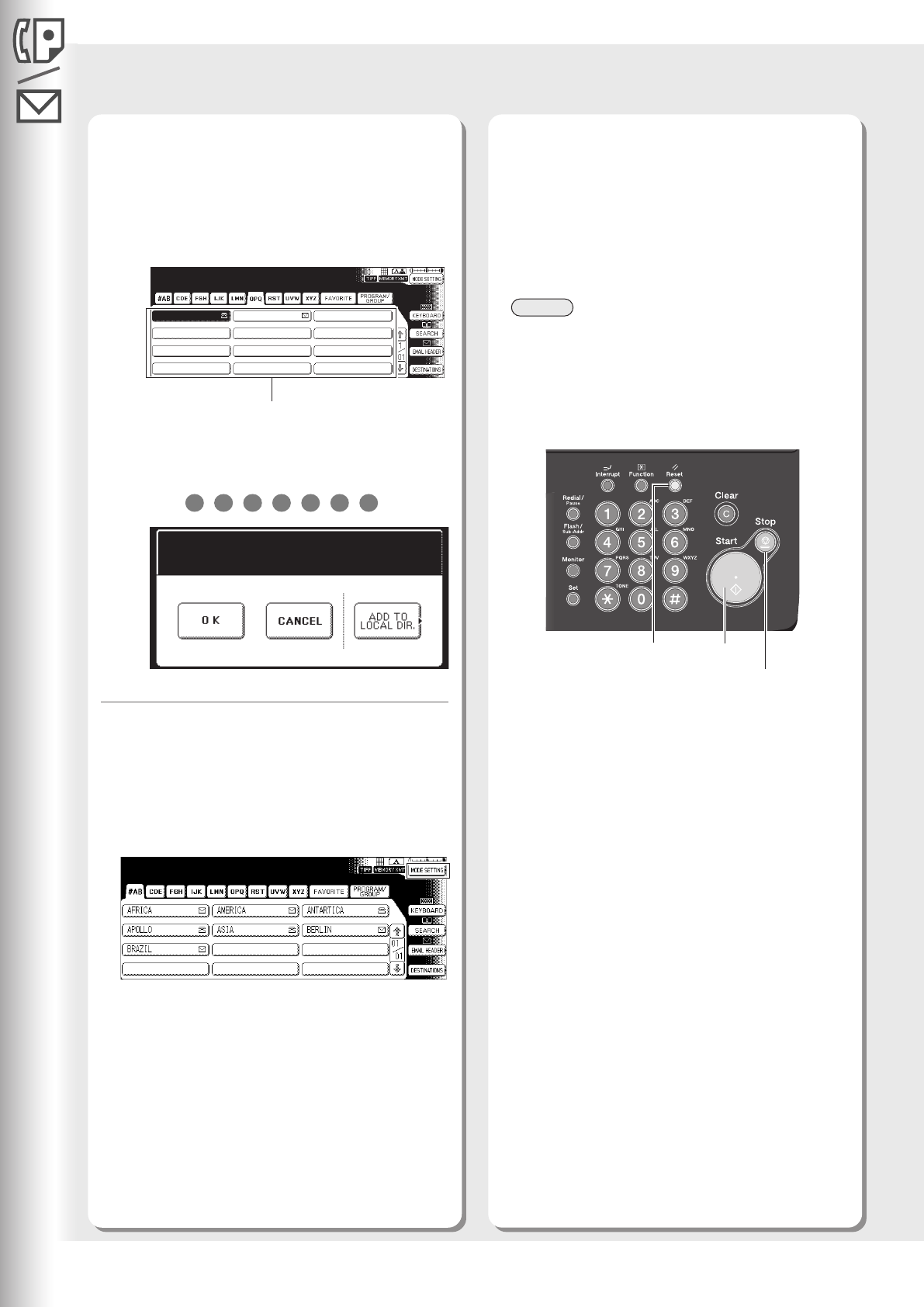
Select either ADDRESS BOOK DIALING,
or MANUAL NUMBER DIALING.
For ADDRESS BOOK DIALING
Telephone numbers should be registered in
advance. (See pages 28-29)
For MANUAL NUMBER DIALING
Facsimile: Enter the telephone number with the
Keypad, and then select "OK".
EX:
Memory Transmit STN(s):001
TO:PANASONIC
5551234
PANASONIC
QUALITY DEPT
5551234
5
5
5
1
2
3
4
The document(s) will be stored into memory with
a file number.
Then starts dialing the telephone number
immediately after storing the first page.
The remaining page(s) continue to store into
memory.
4
● For more details, refer to the Operating
Instructions (For Facsimile and Internet Fax/
Email Functions).
Select "MODE SETTING" to configure
the desired Facsimile mode settings.
Press the Start key.
NOTE
● When clearing the sending mode settings, press
the Reset key.
● To stop the transferring job, press the Stop key.
The cancellation message will appear on the
LCD. Follow the instructions on the Touch Panel
Display.
Reset Key
Stop Key
Start Key
Sending Originals (Facsimile)
Memory Transmit STN(s):001
Add More STN(s)
Press START To Send
Select the destination