
Digital Imaging Systems DP-8060 / 8045 / 8035 Operating Instructions
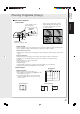
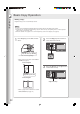



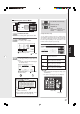


Table Of Contents
- Table of Contents
- Product Overview
- Copying
- Printing
- Network Scanning
- Facsimile / Internet Fax/Email
- Problem Solving
- Troubleshooting
- User (U) / Error Codes
- Removing Misfed Paper
- Locations/User Error Codes (J Codes)
- System Console (Option) (A)
- Paper Entry Area (B)
- Paper Transport Area (C)
- Paper Exit/Fuser Area (D)
- Automatic Duplex Unit (ADU) (E)
- Reverse Area (F)
- 3000-Sheet Tray (LCT) (Option) (G)
- 2-Bin Finisher (Option) (H) (DA-FS600/605)
- 2-Bin Finisher (Option) (H) (DA-FS330)
- 1-Bin Saddle-Stitch Finisher (Option) (H)
- 2-Bin Saddle-Stitch Finisher only (Option) (I)
- 1-Bin Saddle-Stitch Finisher (Option) (I/F)
- i-ADF (J)
- Replacing Consumables
- Appendix
- Specifications
- DP-8060/8045/8035 (Copier)
- i-ADF (Standard)
- Printer Unit
- System Console 1 (DA-DS603)
- System Console 2 (DA-DS604)
- For G3 Facsimile (Option) [DA-FG600]
- For Internet Fax (Email) [Standard]
- 3000-Sheet Tray (LCT) (DA-MA301)
- Letter-R/Legal Size Adaptor for 3000-Sheet Tray (LCT) (DA-TK31)
- 2-Bin Finisher (DA-FS600)
- 2-Bin Saddle-Stitch Finisher (DA-FS605)
- Punch Unit (DA-SP31) [for DA-FS600/605]
- 2-Bin Finisher (DA-FS330) (1/2)
- 2-Bin Finisher (DA-FS330) (2/2)
- 1-Bin Saddle-Stitch Finisher (DA-FS355A)
- Punch Unit (DA-SP41) [for DA-FS355A]
- Option and Supplies
- Multi-Tasking Job Table
- FCC Notice
- Index
- Glossary
- Specifications
21
Copying
Product
Overview
Placing Originals (Copy)
■■
■■
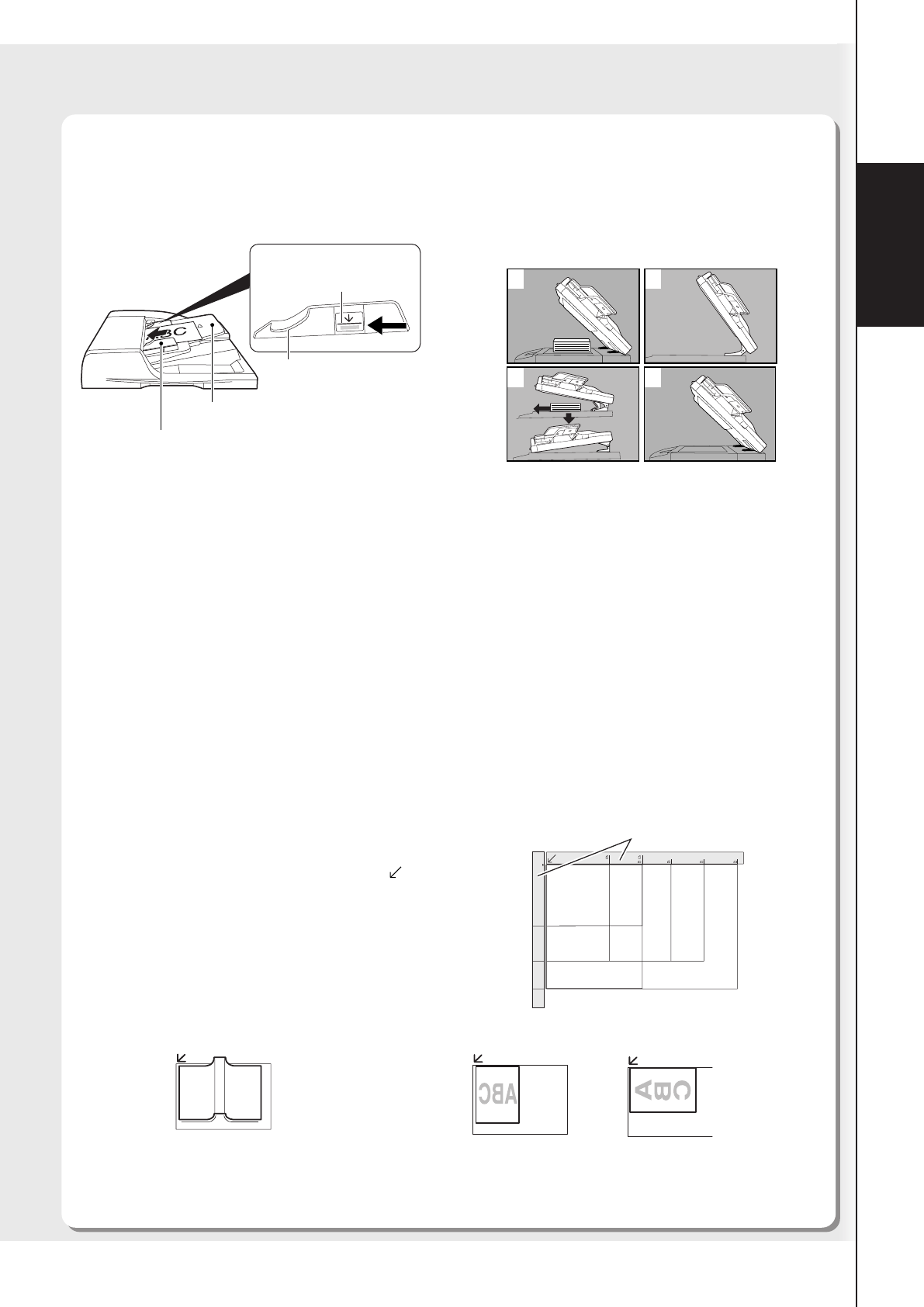
■ How to Place Originals
● On the ADF
Notice for Platen
Align the original to top left corner mark ( ).
● If the original is not positioned properly, a portion of the
original may not be copied.
● For originals smaller than 5.5" x 8.5" (Invoice) size,
position the original within the 5.5" x 8.5" area and
select 5.5" x 8.5".
Ex: Book Original Ex: Sheet Original
● On the Platen
Set the originals up to the
upper limit indicator.
ADF Tray
Original Guides
Adjust to the original’s width
Upper Guide
Upper Limit
Indicator
When copying a thick Booklet, open the
ADF and verify that the ADF Hinge was
returned to original position if the rear of
the ADF was raised.
1
2
3
4
Notice for ADF
● Once the originals are set, press Start key, and do not touch the originals as it may cause them to jam.
● Before setting the originals on the ADF, make sure they are free of clips or staples.
Originals that cannot be used
● Drawing papers, Transparencies, Labeling paper, Heavy weight papers, Thin Art papers, Film, Thermal
papers
Inappropriate Originals
● Papers which are curled, ripped, creased, folded, punched, glued, stapled or self adhesive.
● Originals of assorted (mixed) width size (except for the combination of Ledger and Letter)
● Paste-ups
● Pressure sensitive or carbon backed papers
● Paper with excessive curl
● Stapled originals
● Freshly printed copies from a laser printer which is still wet with color ink or whiteout.
● Originals with fresh White-Out (Liquid paper correction fluid)
Original Guides
INV
INV
LTR
LGL
LDR
LTR
LDR
INV
LTR
LGL
INV
INVOICE
INVOICE-R
LETTER-R
LEGAL
LEDGER
LETTER
LTR