
Digital Imaging Systems DP-8060 / 8045 / 8035 Operating Instructions

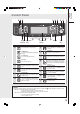
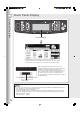
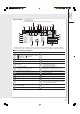
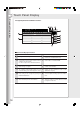
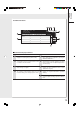
Table Of Contents
- Table of Contents
- Product Overview
- Copying
- Printing
- Network Scanning
- Facsimile / Internet Fax/Email
- Problem Solving
- Troubleshooting
- User (U) / Error Codes
- Removing Misfed Paper
- Locations/User Error Codes (J Codes)
- System Console (Option) (A)
- Paper Entry Area (B)
- Paper Transport Area (C)
- Paper Exit/Fuser Area (D)
- Automatic Duplex Unit (ADU) (E)
- Reverse Area (F)
- 3000-Sheet Tray (LCT) (Option) (G)
- 2-Bin Finisher (Option) (H) (DA-FS600/605)
- 2-Bin Finisher (Option) (H) (DA-FS330)
- 1-Bin Saddle-Stitch Finisher (Option) (H)
- 2-Bin Saddle-Stitch Finisher only (Option) (I)
- 1-Bin Saddle-Stitch Finisher (Option) (I/F)
- i-ADF (J)
- Replacing Consumables
- Appendix
- Specifications
- DP-8060/8045/8035 (Copier)
- i-ADF (Standard)
- Printer Unit
- System Console 1 (DA-DS603)
- System Console 2 (DA-DS604)
- For G3 Facsimile (Option) [DA-FG600]
- For Internet Fax (Email) [Standard]
- 3000-Sheet Tray (LCT) (DA-MA301)
- Letter-R/Legal Size Adaptor for 3000-Sheet Tray (LCT) (DA-TK31)
- 2-Bin Finisher (DA-FS600)
- 2-Bin Saddle-Stitch Finisher (DA-FS605)
- Punch Unit (DA-SP31) [for DA-FS600/605]
- 2-Bin Finisher (DA-FS330) (1/2)
- 2-Bin Finisher (DA-FS330) (2/2)
- 1-Bin Saddle-Stitch Finisher (DA-FS355A)
- Punch Unit (DA-SP41) [for DA-FS355A]
- Option and Supplies
- Multi-Tasking Job Table
- FCC Notice
- Index
- Glossary
- Specifications
Product Overview
20
2 3
4
65
1
Contents
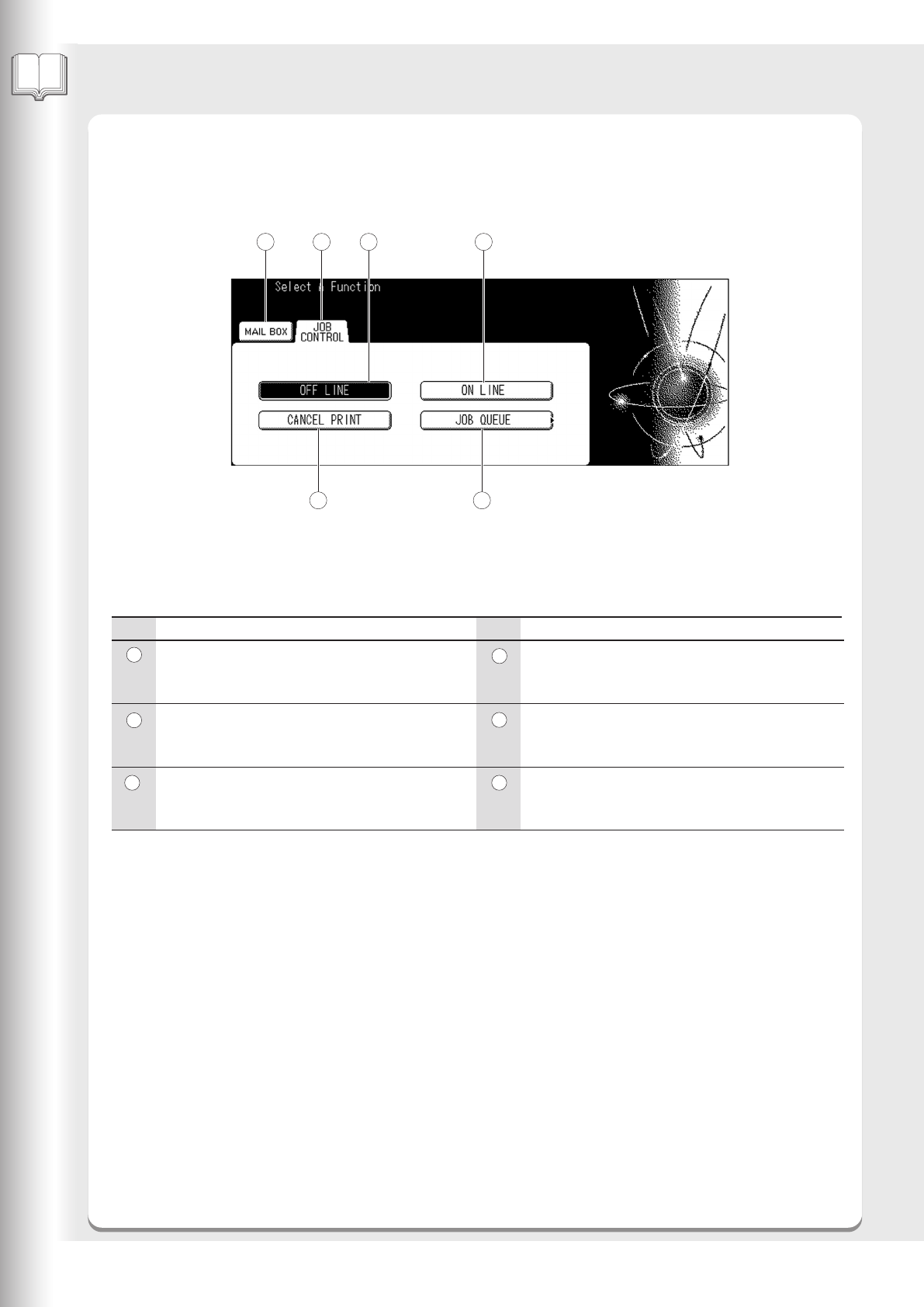
MAIL BOX Tab
Allows you to use the Security Print function to start
the printing job.
JOB CONTROL Tab
Allows you to select OFF LINE, ON LINE,
CANCEL PRINT, JOB QUEUE functions.
OFF LINE Button
Allows you to temporarily take your printer OFF
LINE when you want to cancel a print job, etc.
Contents
ON LINE Button
Allows you to return your printer ON LINE after
taking it OFF LINE with the OFF LINE Button.
CANCEL PRINT Button
Allows you to cancel a print job before the printing
has started.
JOB QUEUE Button
Allows you to see the print jobs which are in
progress or in the printing queue.
No. No.
Print Function
1
2
3
5
6
4
■■
■■
■
Touch Panel Display Indications
Touch Panel Display