
Digital Colour Imaging Systems Operating Instructions
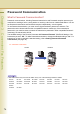
Table Of Contents
- Operating Instructions
- Conventions
- Table of Contents
- Getting To Know Your Machine
- Basic Fax Transmission
- Fax Transmission Procedure
- Entering a Destination
- Transmission with Destination Monitoring
- Talking to the Remote Party Before Transmission
- Setting Original Quality
- Setting the Original Size
- Transmitting 2-Sided Originals
- Verification Stamp
- Transmitting a Document Stored in Memory
- Job Build and SADF
- Direct Transmission
- Verifying Communication Status
- Rotated Transmission
- Batch Transmission
- Getting an Outside Line Using PIN Code Access
- Using Program Keys
- Cancelling a Communication
- Dial Prefix
- Convenient Fax Features
- Fax Reception
- Internet Fax
- What is Internet Fax?
- What Internet Fax Can Do
- Tips for Internet Fax
- Preparing to Use Internet Fax
- Sending an Email Procedure
- Entering an Email Address
- Using Cc, Bcc and From
- Setting a File Type and a File Name
- Emailing an A3-Sized Document
- Setting Message Delivery Notice (MDN)
- When Email Transmission Fails
- Using a Completion Notice
- Receiving an Email
- Receiving an Email on a Computer
- Inbound Routing
- Using the Relay Feature
- Relayed Transmission from Internet Fax
- Relayed Transmission from PC
- Result of Relayed Transmission
- Useful Terms to Remember
- Handling Communication Reservation Files
- Program Destinations/Program Keys
- Reading Reports/Lists
- Solving Problems
- Appendix
76
Chapter 3 Convenient Fax Features
Password Communication
What is Password Communication?
Password communications, including Password transmission and Password reception prevents your
machine from sending a fax to a wrong station or receiving a fax from an unauthorized station. You can
set Password transmission and Password reception independently, or both together.
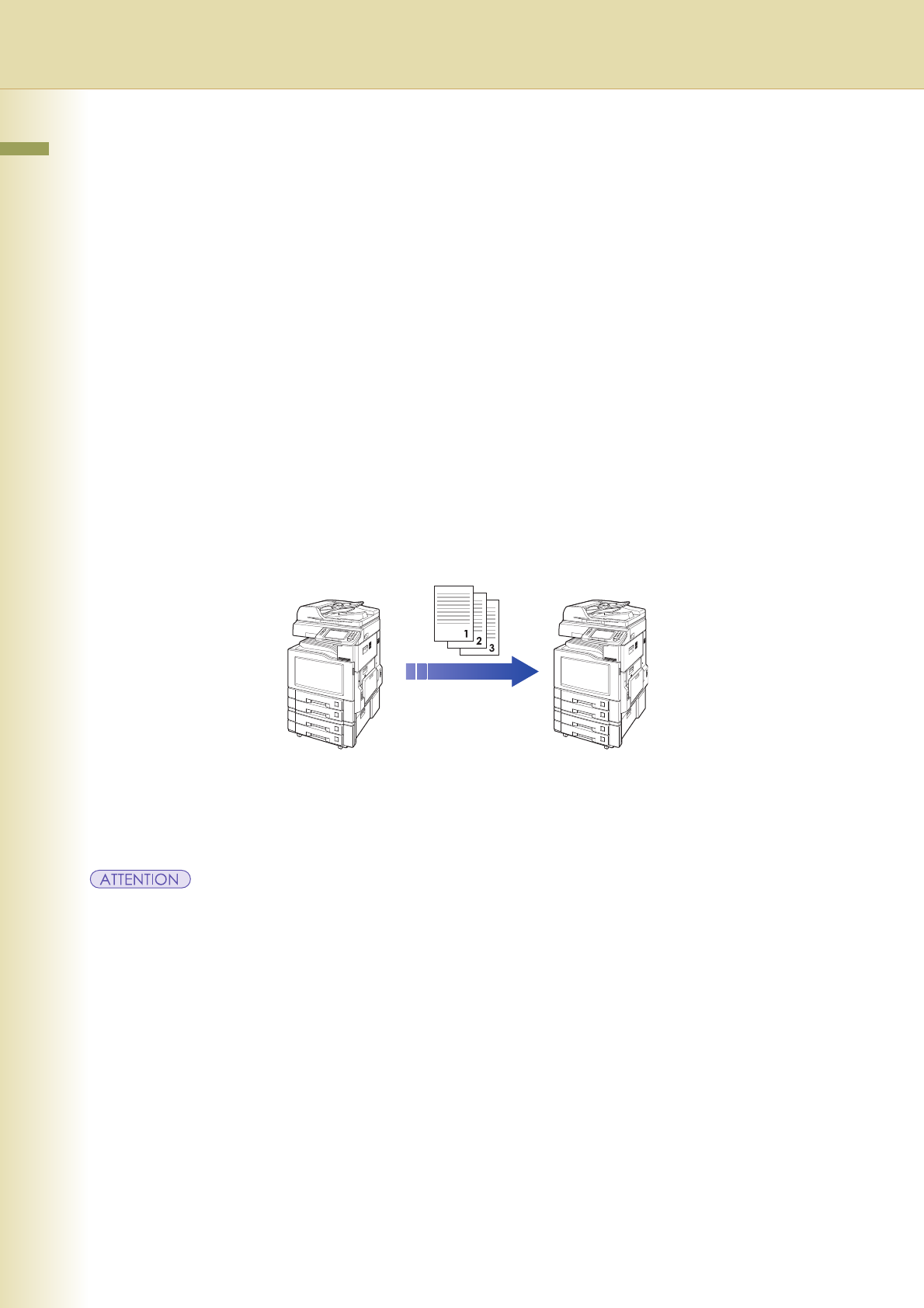
To use Password transmission, you must set a 4-digit transmission password in advance. The
password must be shared with the other compatible Panasonic machine(s). If the transmission
password in your machine does not match the transmission password in other compatible Panasonic
machine(s), the transmission will fail.
The standard setting of the Function Parameter “43 Password-Transmit” (Fax/Email Settings > Fax
Parameters) is set to “Off”. To utilize Password transmission, change the standard setting to “On”. For
instructions on how to change the standard setting, refer to Setting Password-Protected
Transmission (see page 78).
z This feature works only if the remote station is any one of the following Panasonic models.
DP-180 DP-190 DP-1820E DP-1820P DP-2330 DP-3030 DP-3530 DP-4530
DP-6030 DP-8020P DP-8020E DP-8035 DP-8045 DP-8060 DP-C213 DP-C262
DP-C263 DP-C264 DP-C265 DP-C305 DP-C322 DP-C323 DP-C354 DP-C405
DX-800
UF-6000 UF-9000
Transmission
Password:
1234
Transmission
Password:
1234
Sender Receiver
Ex : Password Transmission