
Digital Colour Imaging Systems Operating Instructions
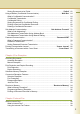
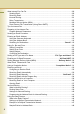
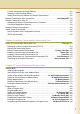
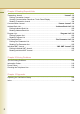
Table Of Contents
- Operating Instructions
- Conventions
- Table of Contents
- Getting To Know Your Machine
- Basic Fax Transmission
- Fax Transmission Procedure
- Entering a Destination
- Transmission with Destination Monitoring
- Talking to the Remote Party Before Transmission
- Setting Original Quality
- Setting the Original Size
- Transmitting 2-Sided Originals
- Verification Stamp
- Transmitting a Document Stored in Memory
- Job Build and SADF
- Direct Transmission
- Verifying Communication Status
- Rotated Transmission
- Batch Transmission
- Getting an Outside Line Using PIN Code Access
- Using Program Keys
- Cancelling a Communication
- Dial Prefix
- Convenient Fax Features
- Fax Reception
- Internet Fax
- What is Internet Fax?
- What Internet Fax Can Do
- Tips for Internet Fax
- Preparing to Use Internet Fax
- Sending an Email Procedure
- Entering an Email Address
- Using Cc, Bcc and From
- Setting a File Type and a File Name
- Emailing an A3-Sized Document
- Setting Message Delivery Notice (MDN)
- When Email Transmission Fails
- Using a Completion Notice
- Receiving an Email
- Receiving an Email on a Computer
- Inbound Routing
- Using the Relay Feature
- Relayed Transmission from Internet Fax
- Relayed Transmission from PC
- Result of Relayed Transmission
- Useful Terms to Remember
- Handling Communication Reservation Files
- Program Destinations/Program Keys
- Reading Reports/Lists
- Solving Problems
- Appendix

6
What Internet Fax Can Do................................................................................................... 100
Sending Email ................................................................................................................. 100
Receiving Email .............................................................................................................. 101
Inbound Routing.............................................................................................................. 101
Relay Transmission......................................................................................................... 102
Message Delivery Notice (MDN)..................................................................................... 103
Direct Internet Fax Transmission (Using Direct SMTP) .................................................. 104
Tips for Internet Fax ............................................................................................................ 106
Preparing to Use Internet Fax ............................................................................................. 108
Program Network Parameters......................................................................................... 108
Sending an Email Procedure............................................................................................... 110
Entering an Email Address.................................................................................................. 112
Using the Onscreen Keyboard ........................................................................................ 112
Using the Address Book.................................................................................................. 114
Searching for Destinations ................................................................................ “Search”116
Using Cc, Bcc and From...................................................................................................... 120
Setting Cc and Bcc.......................................................................................................... 121
Setting From Field........................................................................................................... 122
Setting Subject ................................................................................................................ 123
Confirming the Destination.............................................................................................. 123
Setting a File Type and a File Name ................................................“File Type and Name”124
Emailing an A3-Sized Document............................................................... “A3 Email XMT”126
Setting Message Delivery Notice (MDN) ................................................. “Delivery Notice”128
When Email Transmission Fails .......................................................................................... 130
Using a Completion Notice ................................................................ “Completion Notice”131
Receiving an Email..............................................................................................................132
Configuring to Receive Email.......................................................................................... 132
Receiving Email Automatically ........................................................................................ 132
Receiving Email Manually ............................................................................ “Get Email”133
Receiving Email with the Program Key ........................................................................... 134
Receiving an Email on a Computer..................................................................................... 136
Receiving Email on Your Computer ................................................................................ 136
Opening Email................................................................................................................. 137
Inbound Routing .................................................................................................................. 138
What is Inbound Routing?............................................................................................... 138
Routing Setup Flow......................................................................................................... 139
Settings for Inbound Routing........................................................................................... 140
Programming the Address Book for Inbound Routing..................................................... 141
Using the Relay Feature...................................................................................................... 144
What is the Relay Feature?............................................................................................. 144
Setting up a Relayed Transmission Network .................................................................. 146
Example of a Relayed Transmission Network ................................................................ 147
Sample Entries in Address Book..................................................................................... 148