Digital Imaging Systems Operating Instructions Model No. DP-6530/8130
Manuals
Brands
Panasonic Manuals
All in One Printer
DP-6530
111
112
113
114
115
116
117
118
119
120
1
2
3
4
5
6
7
8
9
10
11
12
5-31
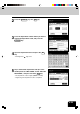
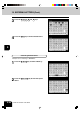
5
Press the B Space key to delete
“M”.
6
Press the N key to enter
“N”, then the SET ke
y
to fix the entered characters.
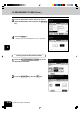
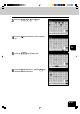
4
Press the
key to move the cur
sor to (under)
“G”.
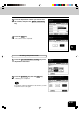
3
Press the E ,
E ,
T , I ,
M and G keys.
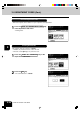
1
...
...
117
118
119
120
121
...
...
172