
Printer/Fax/Scanner/Copier Operating Instruction


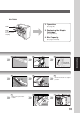

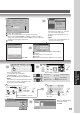
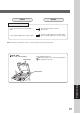

Table Of Contents
- Getting To Know Your Machine
- Before Starting
- Making Copies
- Function
- Accessories
- Network Scanner (Option)
- Problem Solving
- Others
- Specifications
- DP-3530/4530/6030 (Copier)
- i-ADF (Standard)
- System Console 1 (DA-DS603)
- System Console 2 (DA-DS604)
- 3000-Sheet Tray (LCT) (DA-MA301)
- Letter-R/Legal Size Adaptor for LCT (DA-TK31)
- 2-Bin Finisher (DA-FS600)
- 2-Bin Saddle-Stitch Finisher (DA-FS605)
- Punch Unit (DA-SP31)
- 2-Bin Finisher (DA-FS330)
- 1-Bin Saddle-Stitch Finisher (DA-FS355A)
- Punch Unit (DA-SP41)
- Options and Supplies
- INDEX
- Specifications
88
Problem Solving
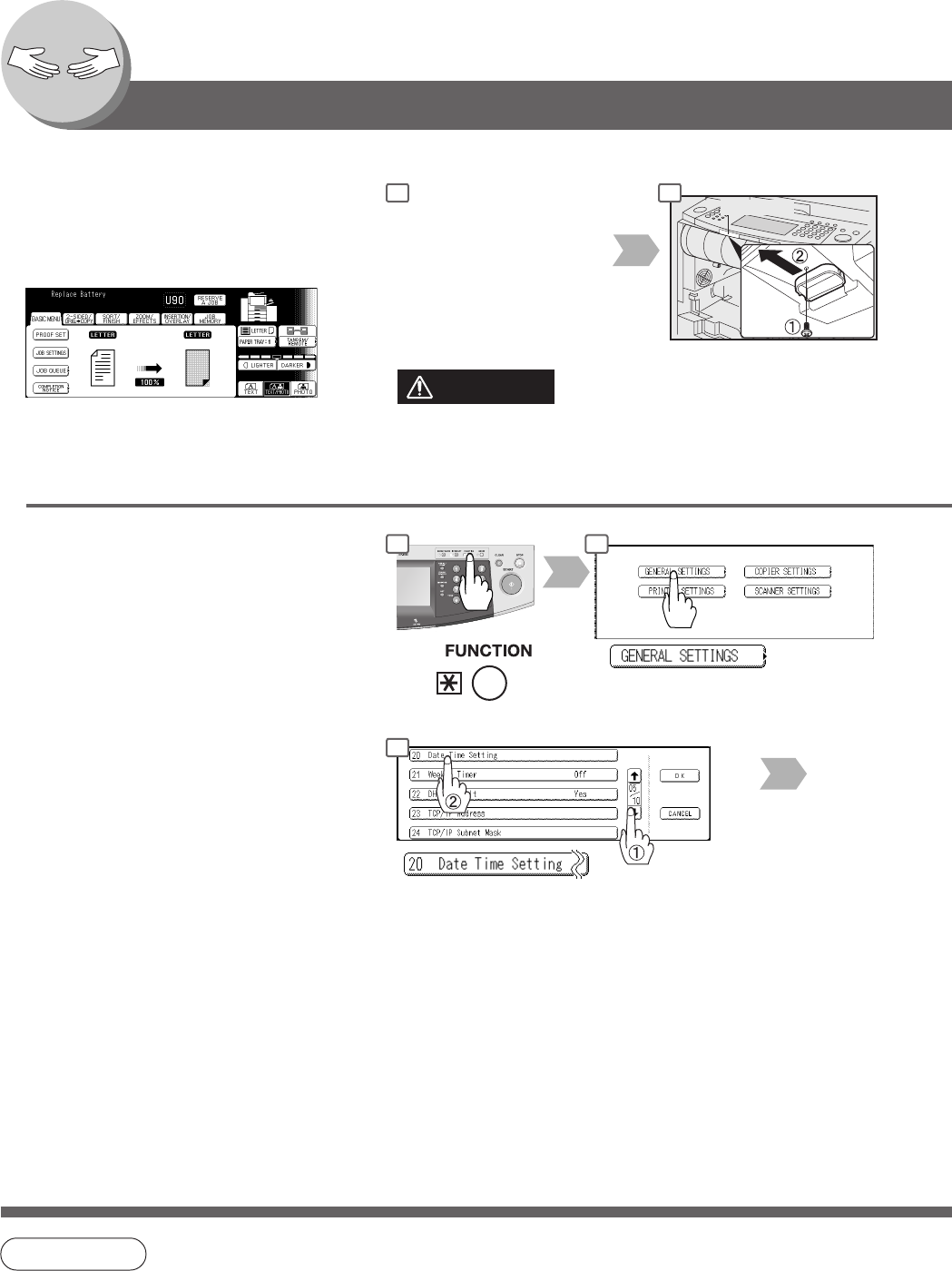
Replacing the Battery/Set the Date and Time
The copier has an internal battery (Product No.:
CR2032) which maintains the date and time.
In the event the battery requires replacement,
the following message will be displayed.
Data LED
Turn the Power Switch on
the Left Side of the
machine to the OFF
position and open the Front
Cover.
Scroll to 05/10
NOTE
● The service life of the battery is approximately 1 year under normal use.
1 2
1 2
5
Remove a Screw and Holder.
Setting the Date and Time (if required):
CAUTION
Keep button batteries and small parts out of reach of children to
prevent chocking or poisoning. If a button battery is swallowed
accidentally, get medical treatment immediately.