
Printer/Fax/Scanner/Copier Operating Instruction



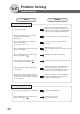
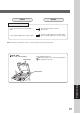

Table Of Contents
- Getting To Know Your Machine
- Before Starting
- Making Copies
- Function
- Accessories
- Network Scanner (Option)
- Problem Solving
- Others
- Specifications
- DP-3530/4530/6030 (Copier)
- i-ADF (Standard)
- System Console 1 (DA-DS603)
- System Console 2 (DA-DS604)
- 3000-Sheet Tray (LCT) (DA-MA301)
- Letter-R/Legal Size Adaptor for LCT (DA-TK31)
- 2-Bin Finisher (DA-FS600)
- 2-Bin Saddle-Stitch Finisher (DA-FS605)
- Punch Unit (DA-SP31)
- 2-Bin Finisher (DA-FS330)
- 1-Bin Saddle-Stitch Finisher (DA-FS355A)
- Punch Unit (DA-SP41)
- Options and Supplies
- INDEX
- Specifications
87
Problem Solving
Check Action
Marked Copies
Clean the Platen Glass or Sheet.
(See below)
Is the copier Platen Glass or Platen Sheet
dirty?
Cover the original with a sheet of white paper
before copying or lighten the exposure setting.
Is the original an OHP film or a dark original?
■ If the measures outlined above do not solve the problem, call your Service provider.
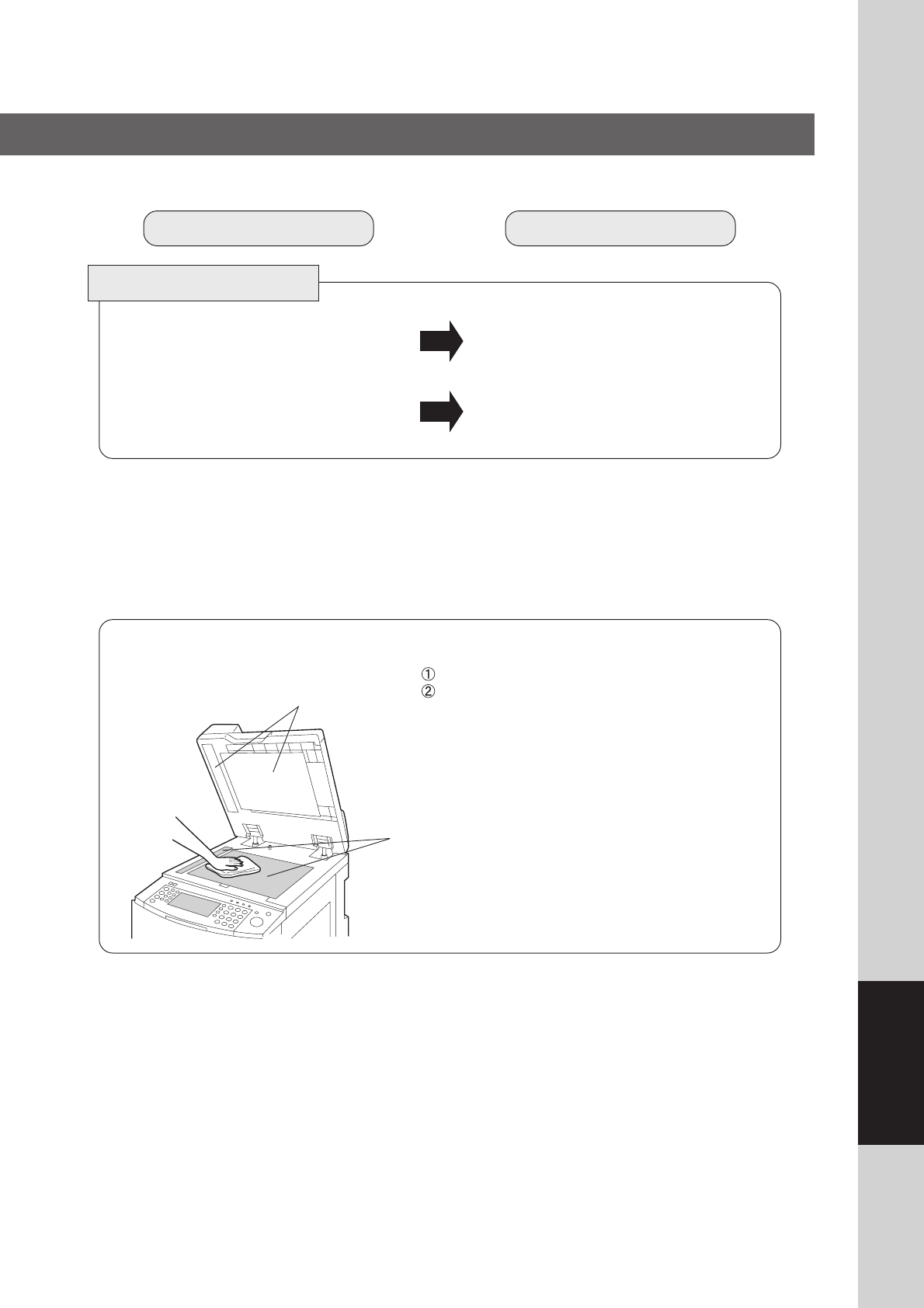
Copier Care
■ As a rule, clean weekly.
Platen Sheet
Platen (Glass)
Platen Glass/Platen Sheet
Wipe marks off with a cloth and a neutral detergent.
Wipe again with a dry cloth.