
Printer/Fax/Scanner/Copier Operating Instruction

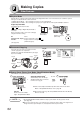
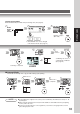

Table Of Contents
- Getting To Know Your Machine
- Before Starting
- Making Copies
- Function
- Accessories
- Network Scanner (Option)
- Problem Solving
- Others
- Specifications
- DP-3530/4530/6030 (Copier)
- i-ADF (Standard)
- System Console 1 (DA-DS603)
- System Console 2 (DA-DS604)
- 3000-Sheet Tray (LCT) (DA-MA301)
- Letter-R/Legal Size Adaptor for LCT (DA-TK31)
- 2-Bin Finisher (DA-FS600)
- 2-Bin Saddle-Stitch Finisher (DA-FS605)
- Punch Unit (DA-SP31)
- 2-Bin Finisher (DA-FS330)
- 1-Bin Saddle-Stitch Finisher (DA-FS355A)
- Punch Unit (DA-SP41)
- Options and Supplies
- INDEX
- Specifications
61
Making Copies
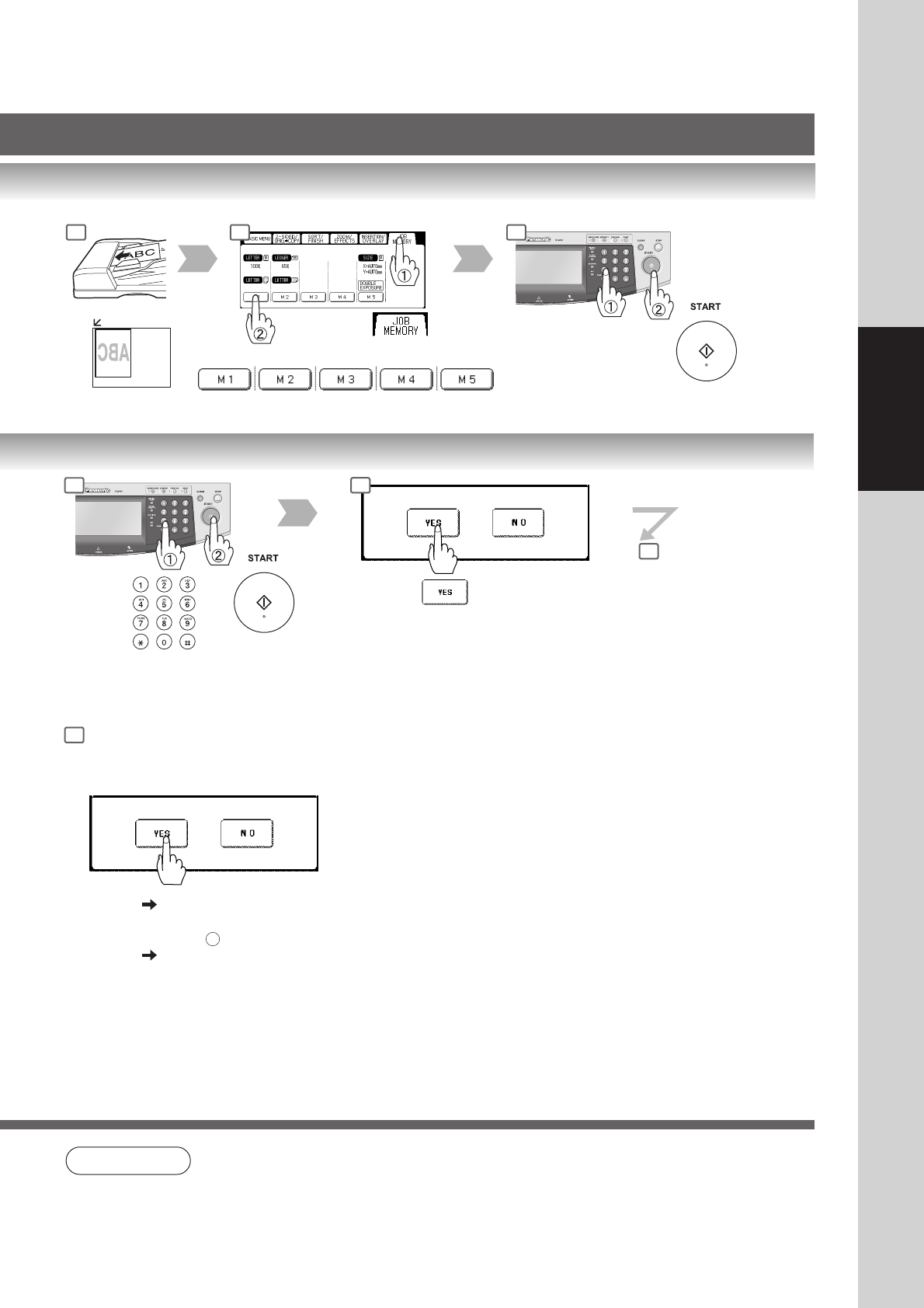
To recall a job stored in memory
M1, M2, M3, M4, M5
or
Number of Copies
(Max. 999)
1 2 3
NOTE
● When using the double exposure mode, the M5 is turned On and other job requiring memory
cannot be used.
● The default setting of Double Exposure Mode is "ON" in the Copier Settings "19 Double
Exposure". If this setting is changed to “OFF”, this mode cannot be used.
Number of Copies
(Max. 999)
3 4
NOTE
If “2: NO” is selected,
the machine will start
copying only scanned
original.
5
7
The following steps, illustrate how to
make multiple copies when the Sort
Mode is selected. (See page 48)
1: YES Continues to copy another
original, repeat steps 1
and 3-
2
to step 6.
2: NO Starts making copies.
(See NOTE on page 60)