
Printer/Fax/Scanner/Copier Operating Instruction

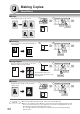
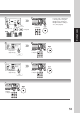
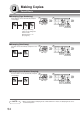

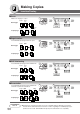


Table Of Contents
- Getting To Know Your Machine
- Before Starting
- Making Copies
- Function
- Accessories
- Network Scanner (Option)
- Problem Solving
- Others
- Specifications
- DP-3530/4530/6030 (Copier)
- i-ADF (Standard)
- System Console 1 (DA-DS603)
- System Console 2 (DA-DS604)
- 3000-Sheet Tray (LCT) (DA-MA301)
- Letter-R/Legal Size Adaptor for LCT (DA-TK31)
- 2-Bin Finisher (DA-FS600)
- 2-Bin Saddle-Stitch Finisher (DA-FS605)
- Punch Unit (DA-SP31)
- 2-Bin Finisher (DA-FS330)
- 1-Bin Saddle-Stitch Finisher (DA-FS355A)
- Punch Unit (DA-SP41)
- Options and Supplies
- INDEX
- Specifications
60
Making Copies
Other Features
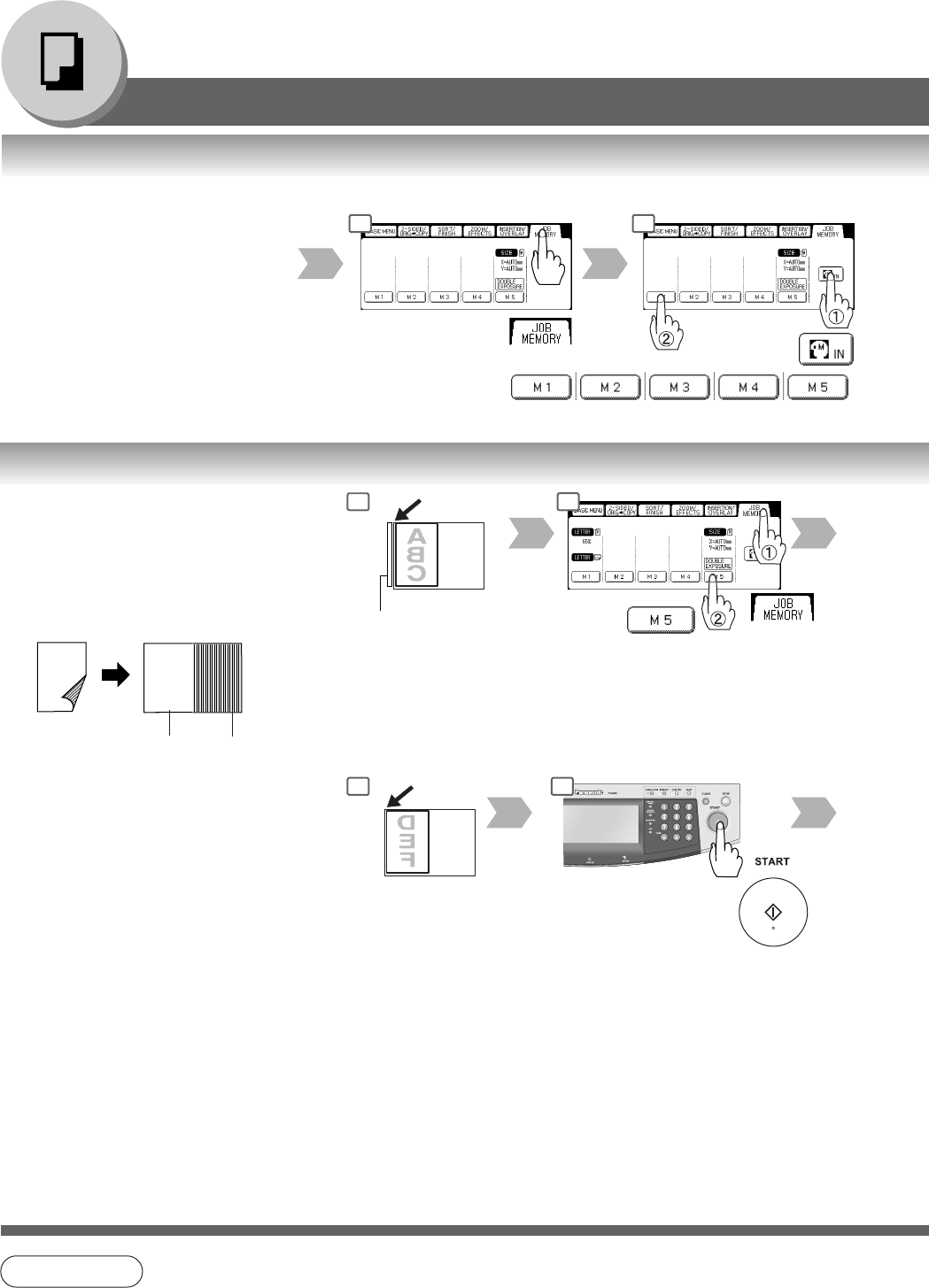
■ Job Memory
Five Copy Jobs can be stored in Memory
(M1 to M5) for recall at a later time.
To store a job in memory
M1, M2, M3, M4, M5
Set up the copy job
to be stored.
1 2
NOTE:
When the M5 Key is used, the Double
Exposure Mode should be set to "Off"
in the Copier Settings "19 Double
Exposure". (See page 67)
NOTE
● JOB MEMORY mode will not be deleted even if the power switches are turned Off.
● When storing a new job into a programmed memory location, the previously stored job will be
overwritten and erased.
● M1, M2 can use as manual skyshot mode by setting the user function mode.
■ Double Exposure
From 2-Sided originals to 1-Sided 2 in 1
copies (side-by-side image).
∗
1
• Front Side of Original
• Original Size:
Free, maximum Invoice size
• Opening the ADF
• Fit original to the Original
Guide.
Back Side
of Original
NOTE:
● When opening the ADF.
● An incorrect position detection of the original may occur
when a strong light shines on the glass during this mode.
● An incorrect exposure may occur when there is a black
line at the edge of the original or an image which the
machine interprets as a black pattern in this mode.
● The final copy may be affected if colored background
original(s) do not have a white edge or if it is less than 2
mm wide.
Original Size:
Maximum Invoice
Copy Size: Letter-R
ex. Invoice
NOTE:
A
B
C
A
B
C
D
E
F
Front Side
Image
Back Side
Image
1 2
5 6
Original Guide
(See NOTE)
∗
2
∗
1 When selecting the Double Exposure, it will
be displayed as "2 in 1" at Job Settings, and
"N in 1" of Function Select Key will also be
displayed.
∗
2 Double Exposure function set by M5 key is
unable to store with other Job Memory.