
Printer/Fax/Scanner/Copier Operating Instruction

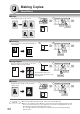
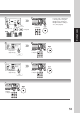
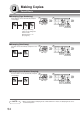

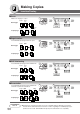


Table Of Contents
- Getting To Know Your Machine
- Before Starting
- Making Copies
- Function
- Accessories
- Network Scanner (Option)
- Problem Solving
- Others
- Specifications
- DP-3530/4530/6030 (Copier)
- i-ADF (Standard)
- System Console 1 (DA-DS603)
- System Console 2 (DA-DS604)
- 3000-Sheet Tray (LCT) (DA-MA301)
- Letter-R/Legal Size Adaptor for LCT (DA-TK31)
- 2-Bin Finisher (DA-FS600)
- 2-Bin Saddle-Stitch Finisher (DA-FS605)
- Punch Unit (DA-SP31)
- 2-Bin Finisher (DA-FS330)
- 1-Bin Saddle-Stitch Finisher (DA-FS355A)
- Punch Unit (DA-SP41)
- Options and Supplies
- INDEX
- Specifications
56
Making Copies
Insertion/Overlay
OHP2
2
1
+
(2)
(1)
+
OHP(2)
OHP2
OHP(1)
(2)
(1)
2
1
+
(2)
(1)
+
OHP1
OHP1
OHP2
2
1
+
OHP(2)
OHP2
OHP(1)
(2)
(1)
2
1
+
OHP1
OHP1
+
+
Insertion
Insertion
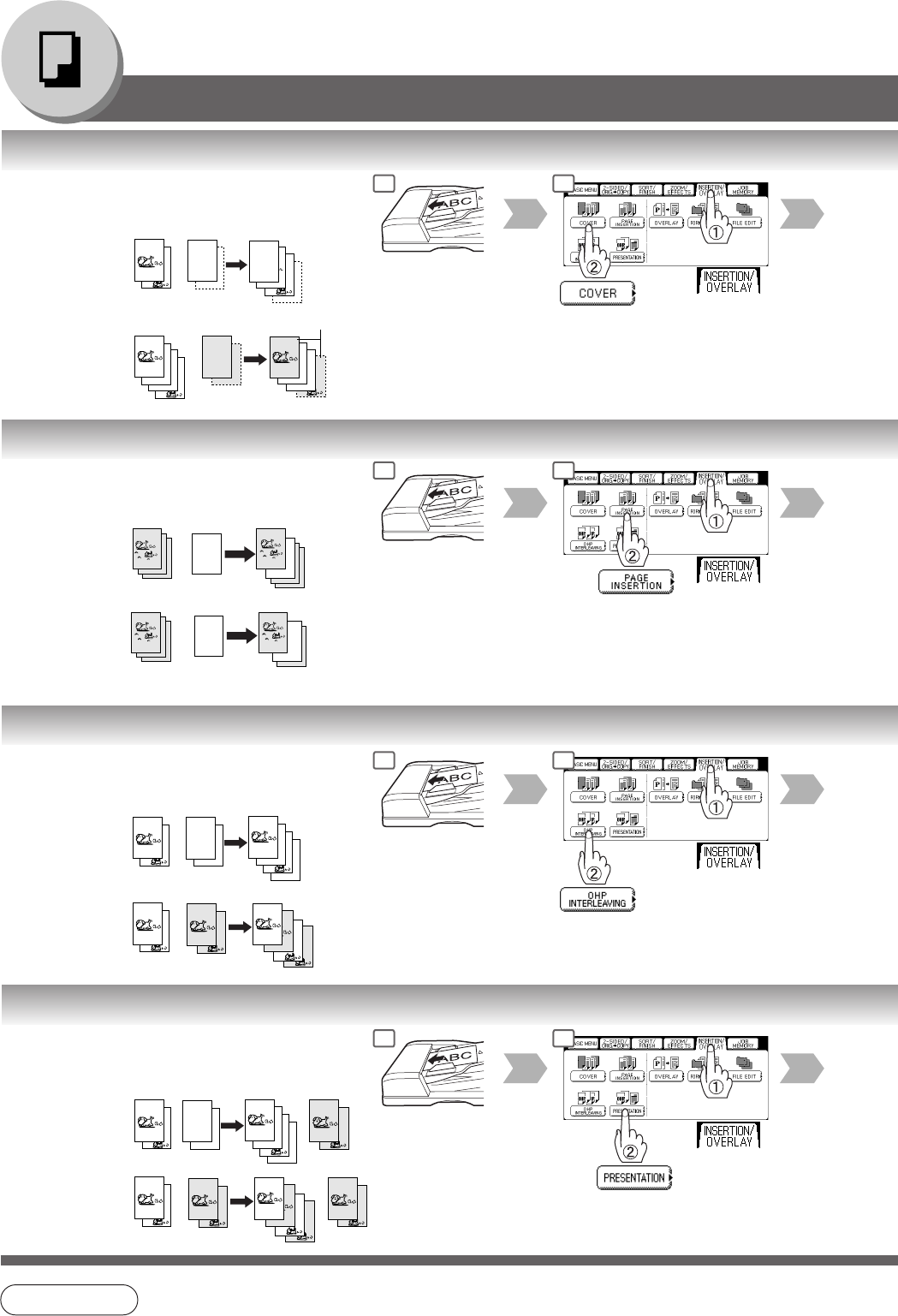
■ Cover
Adds Cover Page(s) to copies.
Blank page
Copied page
2
2
1
1
+
3
2
4
3
+
4
1
2
1
Original Blank
page
Original Copied
page
Copied
page
ADF only
■ Page Insertion
Inserts Blank/Copied pages between copies.
Blank page
Copied page
Original Blank
page
Original Copied
page
ADF only
■ OHP Interleaving
Inserts Blank/Copied pages between OHP film.
Blank page
Copied page
Original Blank
page
Original Copied
page
ADF only
■ Presentation
Inserts Blank/Copied pages between OHP film
and make copied sets for handouts.
Blank page
Copied page
Original Blank
page
Original
Copied
page
ADF only
NOTE
● Certain types of transparency film may not be compatible and may damage your machine.
Consult with an authorized Panasonic dealer for advice regarding non-standard paper types.
(Panasonic has tested "3M PP2500" transparency film and found it to be compatible.)
Hand-
outs
Hand-
outs
1 2
1 2
1 2
1 2