
Printer/Fax/Scanner/Copier Operating Instruction

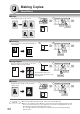
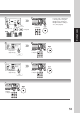
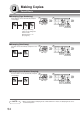

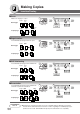


Table Of Contents
- Getting To Know Your Machine
- Before Starting
- Making Copies
- Function
- Accessories
- Network Scanner (Option)
- Problem Solving
- Others
- Specifications
- DP-3530/4530/6030 (Copier)
- i-ADF (Standard)
- System Console 1 (DA-DS603)
- System Console 2 (DA-DS604)
- 3000-Sheet Tray (LCT) (DA-MA301)
- Letter-R/Legal Size Adaptor for LCT (DA-TK31)
- 2-Bin Finisher (DA-FS600)
- 2-Bin Saddle-Stitch Finisher (DA-FS605)
- Punch Unit (DA-SP31)
- 2-Bin Finisher (DA-FS330)
- 1-Bin Saddle-Stitch Finisher (DA-FS355A)
- Punch Unit (DA-SP41)
- Options and Supplies
- INDEX
- Specifications
52
Making Copies
Zoom/Effects
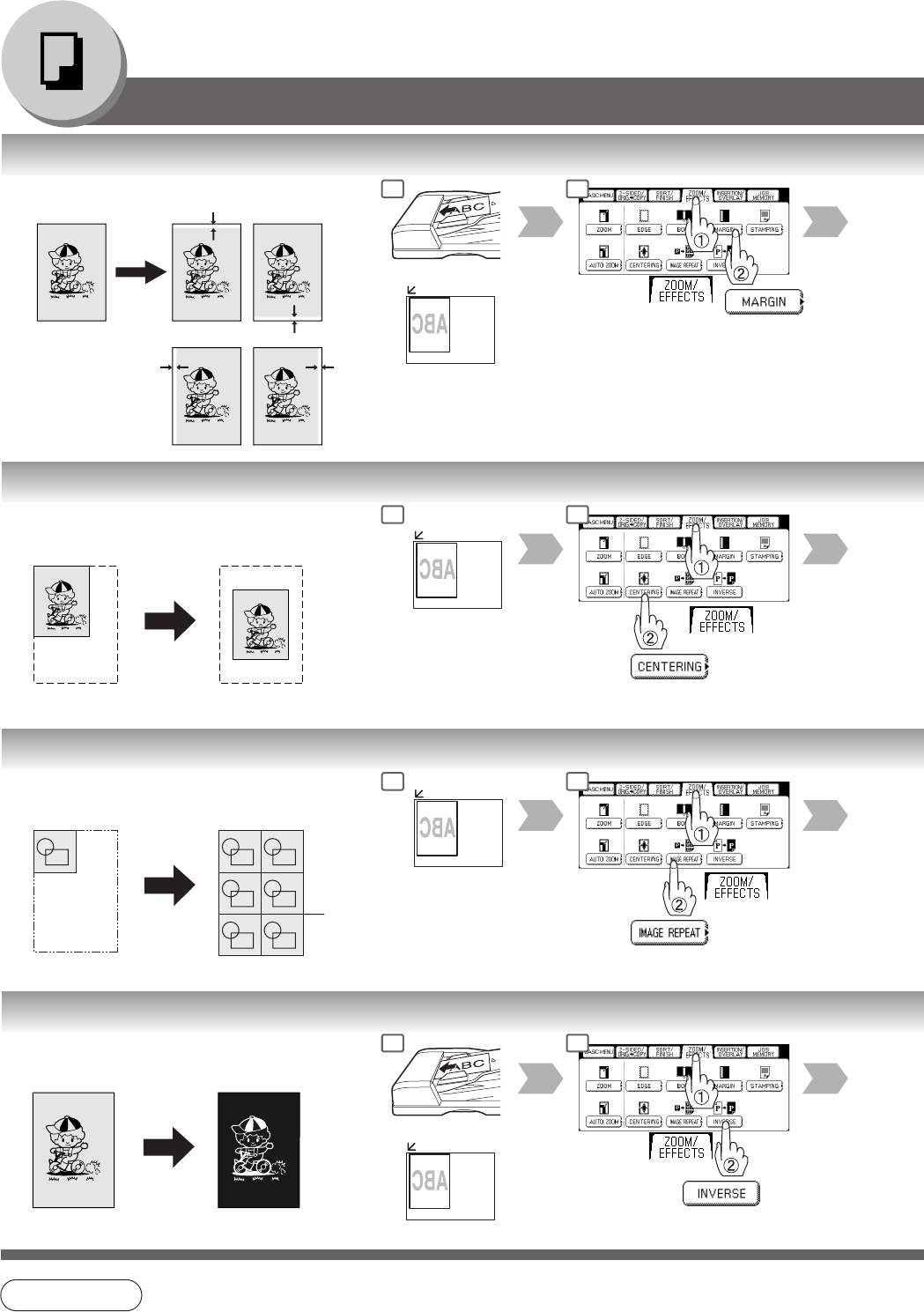
■ Margin
Shifts image to right, left, up or down.
or
■ Centering
Copy image can be centered automatically on
selected paper.
Opening the ADF
■ Image Repeat
Creates continuous copy image on one sheet.
Minimum original size: 20 x 20 mm
Opening the ADF
The dotted line can be set to
“None” or “Print” by Function mode
(See page 67).
■ Inverse
Negative/Positive image can be created for
special effects.
or
NOTE
● In Centering and Image Repeat mode, make copies with the ADF open.
● Remove the originals from the ADF before selecting the Centering and Image Repeat mode.
An incorrect position detection of the original may occur when a strong light shines onto the
glass during the Centering and Image Repeat mode.
Also an image which the copier interprets as a black pattern in the Centering and Image
Repeat modes.
1 2
1 2
1 2
1 2