
Printer/Fax/Scanner/Copier Operating Instruction


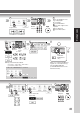

Table Of Contents
- Getting To Know Your Machine
- Before Starting
- Making Copies
- Function
- Accessories
- Network Scanner (Option)
- Problem Solving
- Others
- Specifications
- DP-3530/4530/6030 (Copier)
- i-ADF (Standard)
- System Console 1 (DA-DS603)
- System Console 2 (DA-DS604)
- 3000-Sheet Tray (LCT) (DA-MA301)
- Letter-R/Legal Size Adaptor for LCT (DA-TK31)
- 2-Bin Finisher (DA-FS600)
- 2-Bin Saddle-Stitch Finisher (DA-FS605)
- Punch Unit (DA-SP31)
- 2-Bin Finisher (DA-FS330)
- 1-Bin Saddle-Stitch Finisher (DA-FS355A)
- Punch Unit (DA-SP41)
- Options and Supplies
- INDEX
- Specifications
49
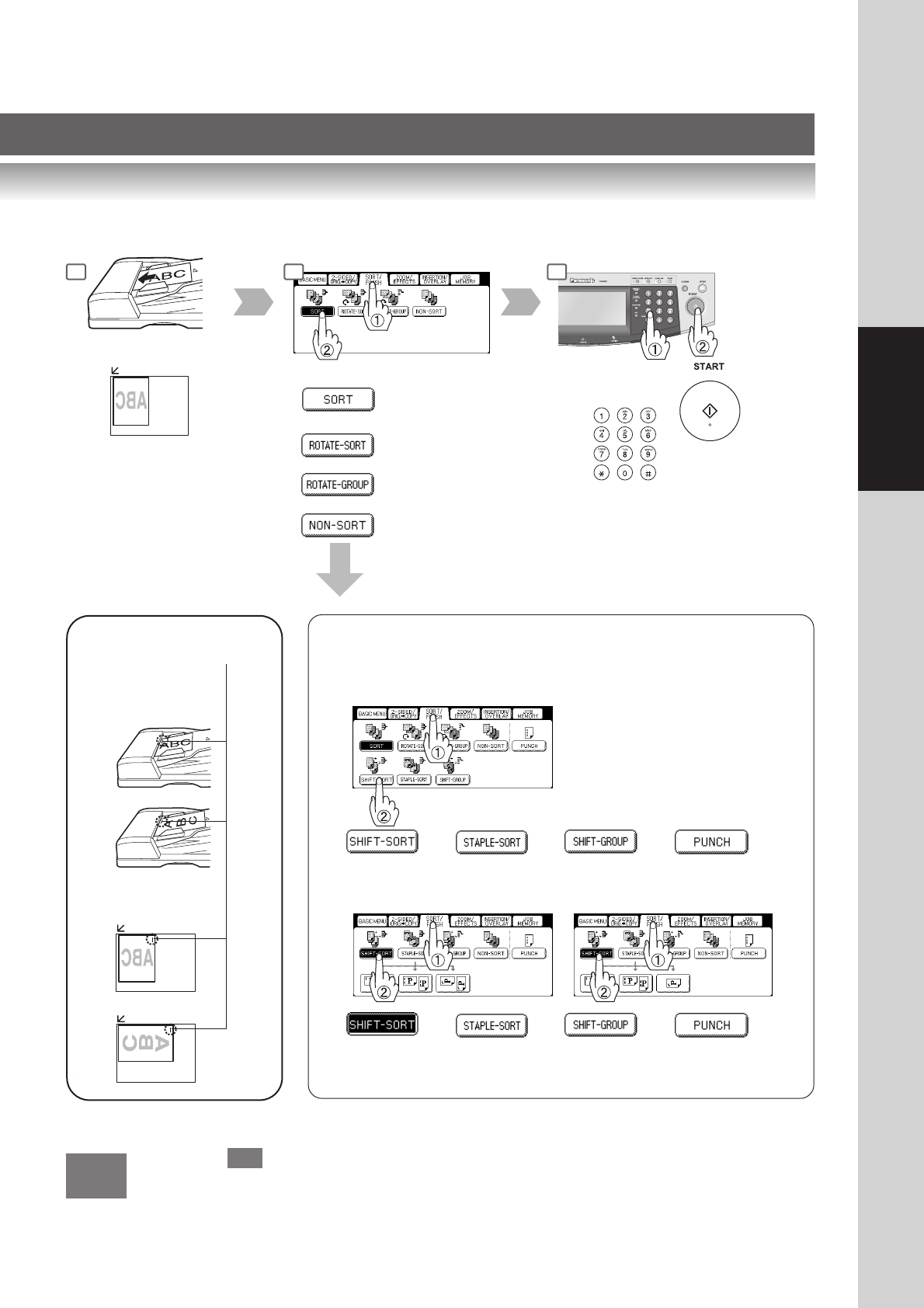
Making Copies
or
or
Sort mode
or
or
When the optional Finisher (See pages 82 and 83) is installed, this screen
will change as follows:
For DA-FS330
or
1 2
ADF
Platen
Staple Position
ex. Top left corner
When overflow indicator appears on the display,
remove excess copies from the bin.
oF
oF
● Overflow
Number
of Copies
or
3
or
For DA-FS600/FS605
or or or
For DA-FS355A