
Printer/Fax/Scanner/Copier Operating Instruction
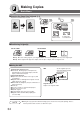
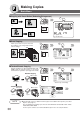
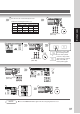
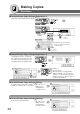
Table Of Contents
- Getting To Know Your Machine
- Before Starting
- Making Copies
- Function
- Accessories
- Network Scanner (Option)
- Problem Solving
- Others
- Specifications
- DP-3530/4530/6030 (Copier)
- i-ADF (Standard)
- System Console 1 (DA-DS603)
- System Console 2 (DA-DS604)
- 3000-Sheet Tray (LCT) (DA-MA301)
- Letter-R/Legal Size Adaptor for LCT (DA-TK31)
- 2-Bin Finisher (DA-FS600)
- 2-Bin Saddle-Stitch Finisher (DA-FS605)
- Punch Unit (DA-SP31)
- 2-Bin Finisher (DA-FS330)
- 1-Bin Saddle-Stitch Finisher (DA-FS355A)
- Punch Unit (DA-SP41)
- Options and Supplies
- INDEX
- Specifications
40
Making Copies
Basic Menu
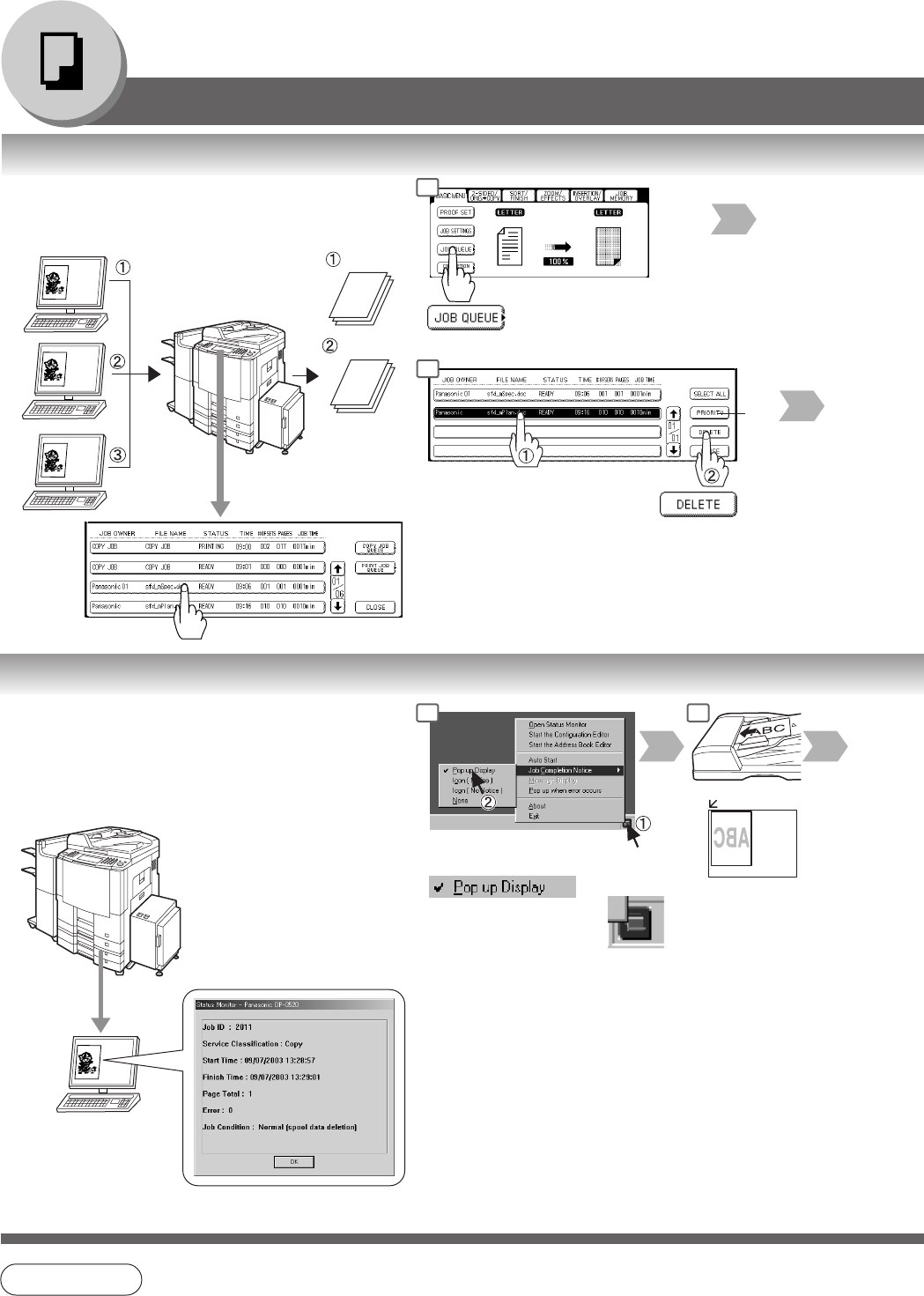
■ Job Queue
Refers to a list of jobs waiting to print, delete
or change of priority (only for print job).
Job
1
Job
2
Job
3
Job 3
Job 1
Job 2
Deleted
Select the job(s)
∗
you wish to delete
∗∗
∗
You can select to delete multiple/all jobs.
∗∗
Priority can be selected for print jobs only
when the optional HDD is installed.
Select the job(s)
■ Completion Notice
A Job Completion Notice via a pop up screen on the
Desktop of your PC when the Copy Job is
completed.
Before using the Completion Notice, install the
Panasonic-DMS included with the machine.
Copy is completed.
Pop up screen
Select Pop up
Display
Right click the
Status Monitor icon
or
NOTE
● The PRINT JOB QUEUE requires the Key Operator’s Password, however, the COPY JOB
QUEUE does not require a password.
The Job Queue selection function is only available when the optional HDD is installed.
1
4
1 2