
Printer/Fax/Scanner/Copier Operating Instruction
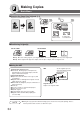
Table Of Contents
- Getting To Know Your Machine
- Before Starting
- Making Copies
- Function
- Accessories
- Network Scanner (Option)
- Problem Solving
- Others
- Specifications
- DP-3530/4530/6030 (Copier)
- i-ADF (Standard)
- System Console 1 (DA-DS603)
- System Console 2 (DA-DS604)
- 3000-Sheet Tray (LCT) (DA-MA301)
- Letter-R/Legal Size Adaptor for LCT (DA-TK31)
- 2-Bin Finisher (DA-FS600)
- 2-Bin Saddle-Stitch Finisher (DA-FS605)
- Punch Unit (DA-SP31)
- 2-Bin Finisher (DA-FS330)
- 1-Bin Saddle-Stitch Finisher (DA-FS355A)
- Punch Unit (DA-SP41)
- Options and Supplies
- INDEX
- Specifications
39
Making Copies
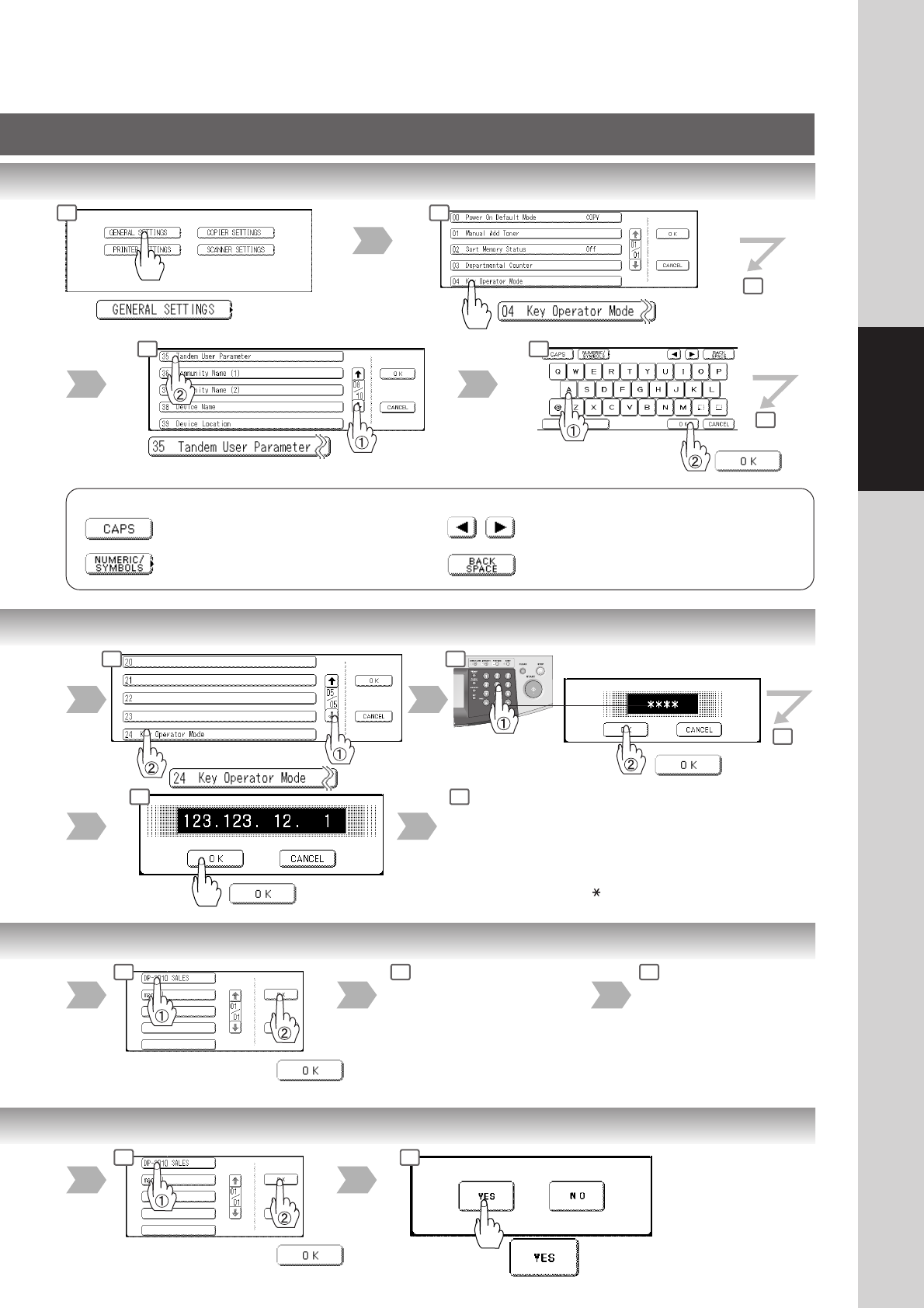
Scroll to 08/10
To input upper case letter(s).
To input numbers and/or symbols.
To move the cursor (_) to the left or right side.
To erase the character before the cursor.
Machine name
(up to 15 characters)
Button Names on the QWERTY Keyboard
Input ID Code
(4-digit)
Scroll to
05/05
Enter the machine and key
name, same as the Registration
procedures above.
Select the registered
machine name
Enter the new IP Address,
same as the Registration
procedures above.
Enter the machine and key
name, same as the
Registration procedures
above.
Select the registered
machine name
2 3
4
5 6
7
3 4
5
7
3 4 5
3 4
8
∗
When clearing the IP address, press the " " key to move to the next segment
of the IP address (
∗∗∗
.
∗∗∗
.
∗∗∗
.
∗∗∗
) and press the Clear key.