
Printer/Fax/Scanner/Copier Operating Instruction
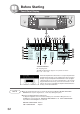
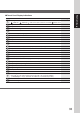
Table Of Contents
- Getting To Know Your Machine
- Before Starting
- Making Copies
- Function
- Accessories
- Network Scanner (Option)
- Problem Solving
- Others
- Specifications
- DP-3530/4530/6030 (Copier)
- i-ADF (Standard)
- System Console 1 (DA-DS603)
- System Console 2 (DA-DS604)
- 3000-Sheet Tray (LCT) (DA-MA301)
- Letter-R/Legal Size Adaptor for LCT (DA-TK31)
- 2-Bin Finisher (DA-FS600)
- 2-Bin Saddle-Stitch Finisher (DA-FS605)
- Punch Unit (DA-SP31)
- 2-Bin Finisher (DA-FS330)
- 1-Bin Saddle-Stitch Finisher (DA-FS355A)
- Punch Unit (DA-SP41)
- Options and Supplies
- INDEX
- Specifications
33
Before Starting
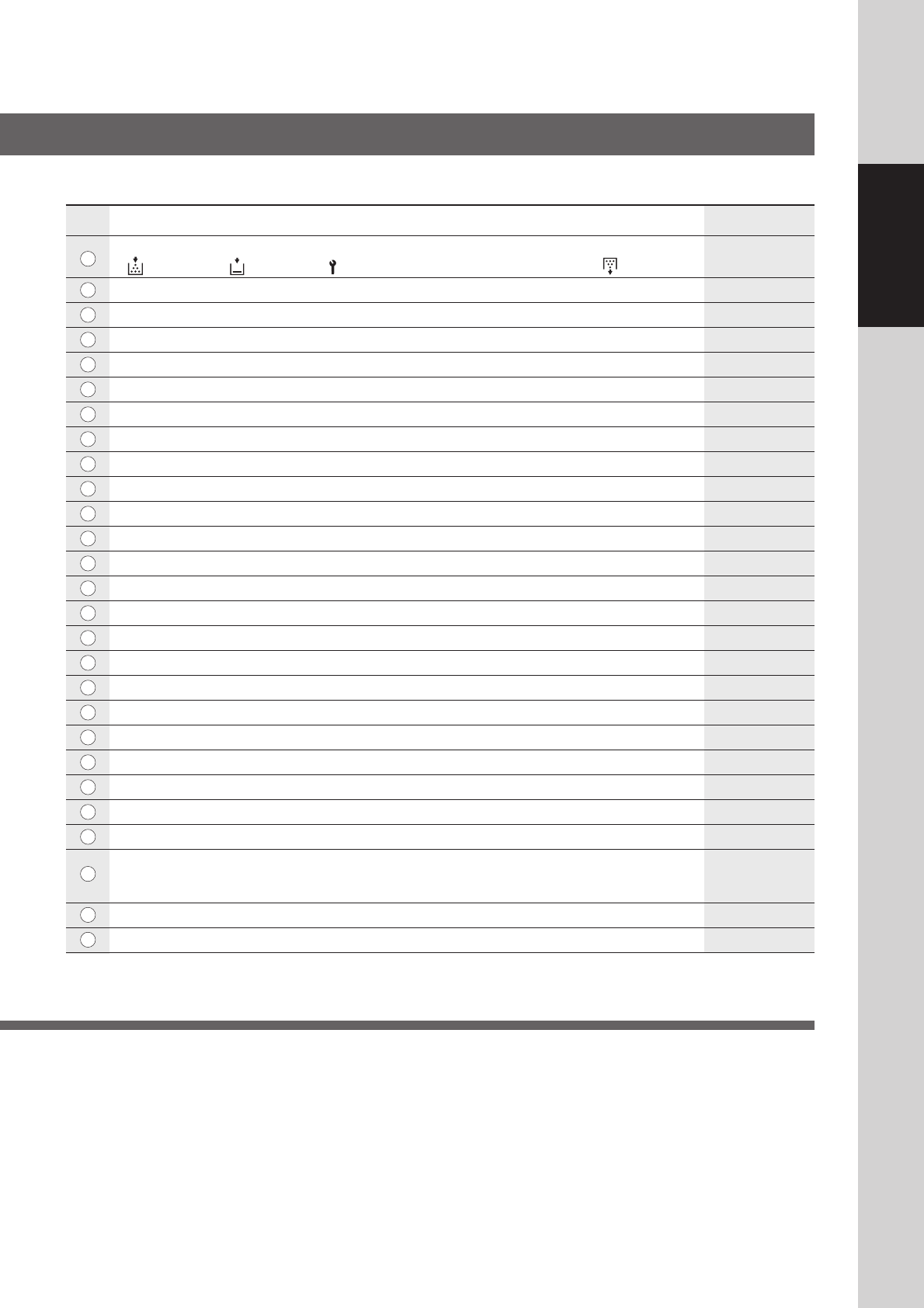
Contents See Page
Warning Indications 14 - 17
: Add Toner : Add Paper : Call Service (Call your Service Provider) :
Waste Toner
Original Icon —
Original Size Indication —
Multi-Size Feeding / Job Build and SADF Mode Indication 46 and 47
Rotate Mode Indication —
Number of Copies / Original(s) —
Machine / User Error Code Indication (E1-01, U13, etc.) 21 and 86
Copy Icon —
Copy Size Indication —
Reserve a Job Button 63
Finisher Functions Indication 49
Machine Outline with Tray Selection (Paper Tray and Output Tray) —
Paper Level and Size Indication —
Paper Tray Selection Button —
Tandem/Remote Button Indication 37
Tandem/Remote Button 37
Density Indicator (7 steps) 15, 35, 85
Manual Exposure Select Buttons (Lighter and Darker) 15, 35, 85
Original Mode Select Button (Text; Text / Photo; Photo) 15, 35, 85
Copy Image and Paper Image Indication —
Copy Ratio Indication —
Original Image Indication —
Completion Notice Button 41
Job Queue Button 40
Job Settings Button —
• Selected copy jobs will be indicated on the right side of the touch panel display.
(2-Sided/Original → Copy, Sort/Finish, Zoom/Effects, Insertion/Overlay modes)
Proof Set Button 37
Function Categories —
■ Touch Panel Display Indications
No.
1
2
3
4
5
6
7
8
9
10
11
12
13
14
15
16
17
18
19
20
21
22
23
24
25
26
27