
Digital Camera Basic Operating Instructions


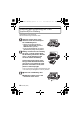

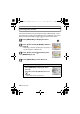

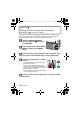
Table Of Contents
- CONTENTS
- Information for Your Safety
- Standard Accessories
- Names of the Components
- Charging the Battery
- About the Built-in Memory/the Card
- Inserting and Removing the Card (optional)/the Battery
- Setting Date/Time (Clock Set)
- Setting the Menu
- Selecting the [REC] Mode
- Taking pictures using the automatic function
- Motion Picture Mode
- Playing back Pictures
- Deleting Pictures
- Reading the Operating Instructions (PDF format)
- Specifications
- Digital Camera Accessory System
- Digital Camera Accessory Order Form
- Limited Warranty (ONLY FOR U.S.A. AND PUERTO RICO)

VQT2R80 (ENG)
20
[REC] Mode: n
Motion Picture Mode
Note
•
Motion pictures can be recorded continuously up to 2 GB.
The maximum available recording time for up to 2 GB only is displayed on the
screen.
Slide the [REC]/[PLAYBACK] selector switch to [!], and
then press [MODE].
Press 3/4 to select [MOTION PICTURE], and then press
[MENU/SET].
Press the shutter button halfway to
focus and then press it fully to start
recording.
A Audio recording
• The available recording time B is displayed
on the top right and the elapsed recording
time C is displayed on the bottom right of
the screen.
• After pressing the shutter button fully,
release it straight away.
• When the subject is focused, the focus indication lights.
• The focus and zoom are fixed to the setting when recording starts (the
first frame).
• The audio is also recorded simultaneously from the built-in microphone
on this unit. (Motion pictures cannot be recorded without audio.)
Press the shutter button fully to stop recording.
• If the built-in memory or the card becomes full in the middle of recording,
the camera stops recording automatically.
C
BA
DMC-F3Basic-VQTXXXX_eng.book 20 ページ 2010年1月12日 火曜日 午後2時39分